AI Visualization
A before and after,
in the consult
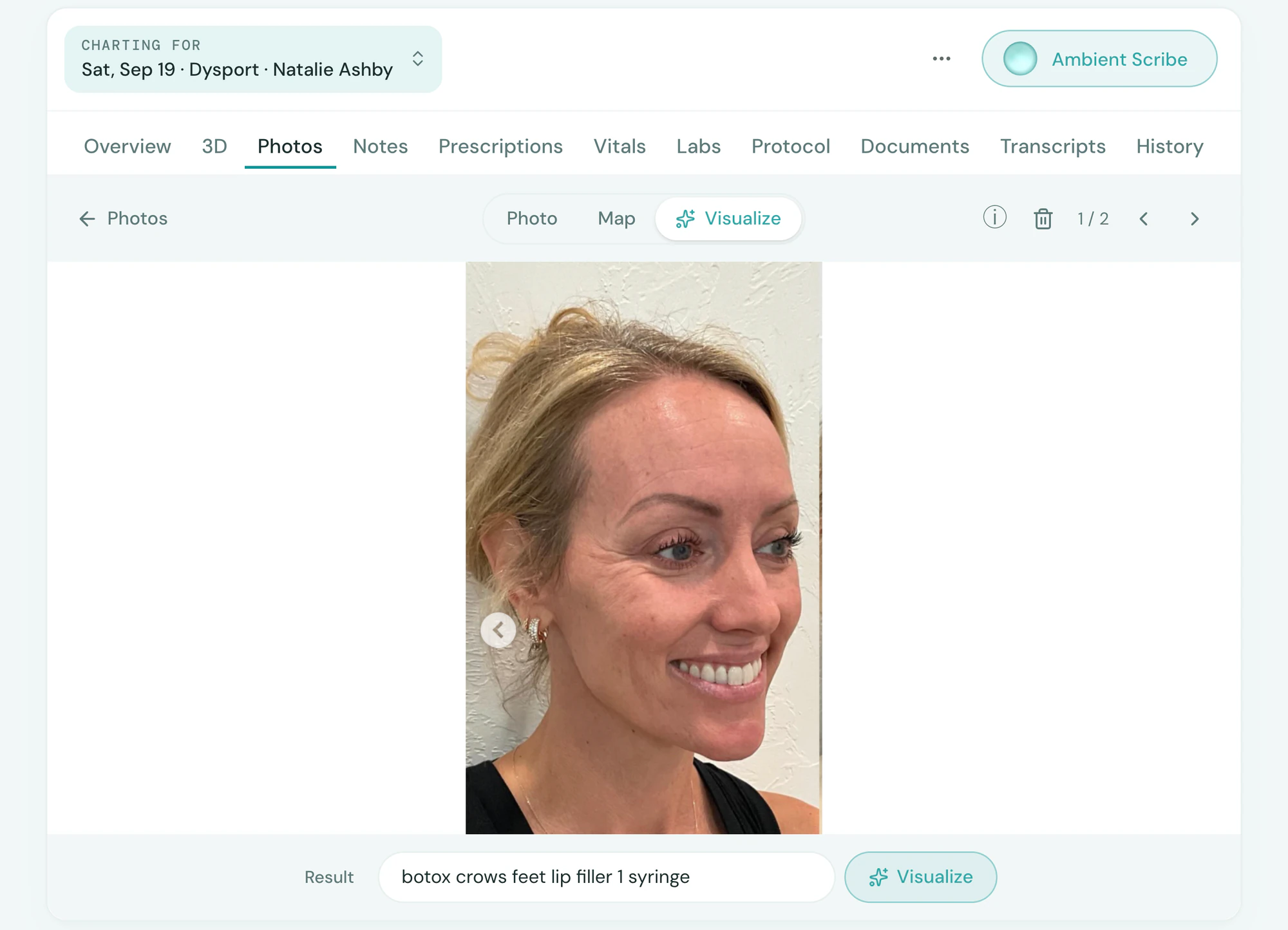
Describe the treatment, or outline exactly where it goes, and watch the client’s before photo become a realistic after. It is their own face, changed only where you would treat, and labeled a preview.
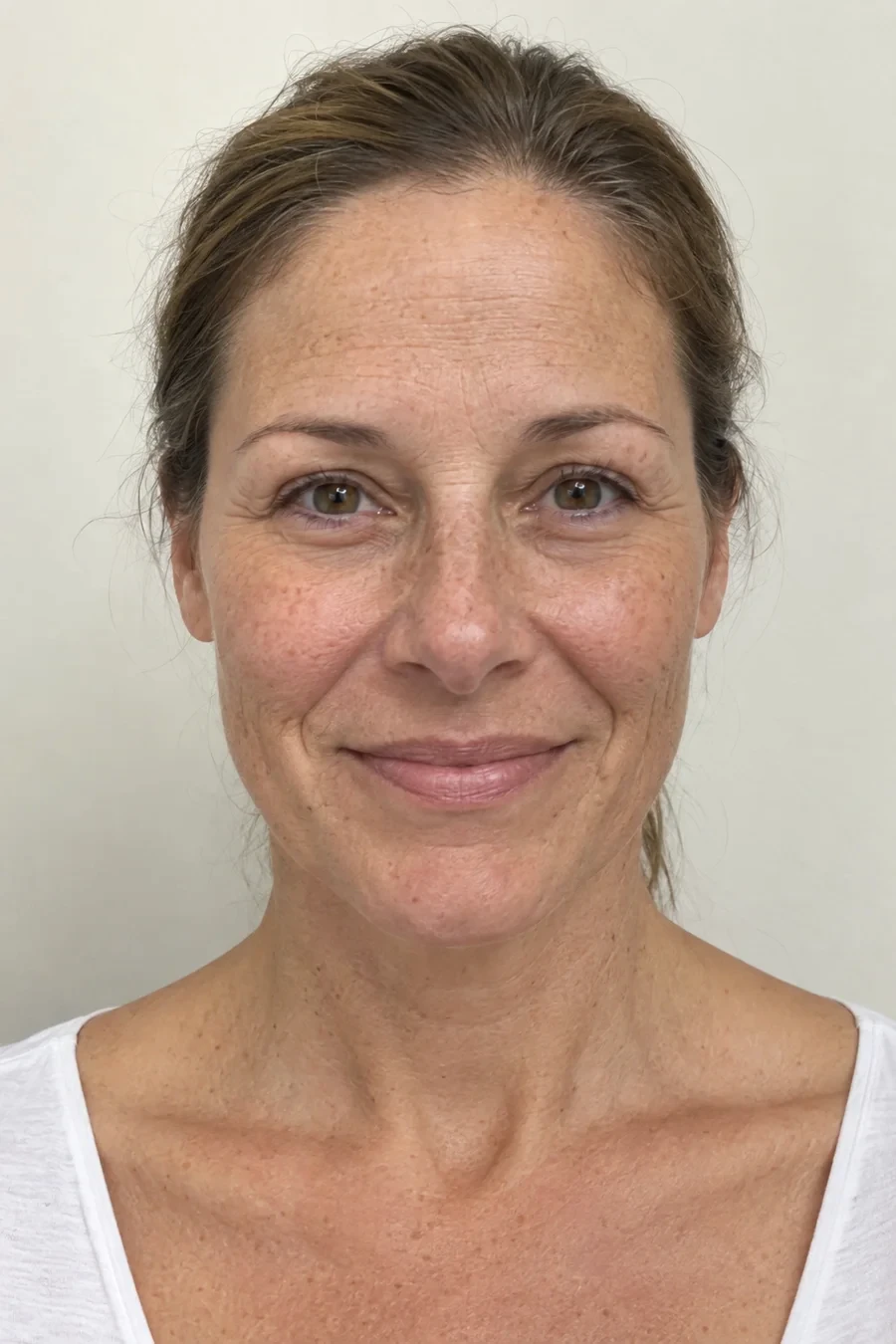
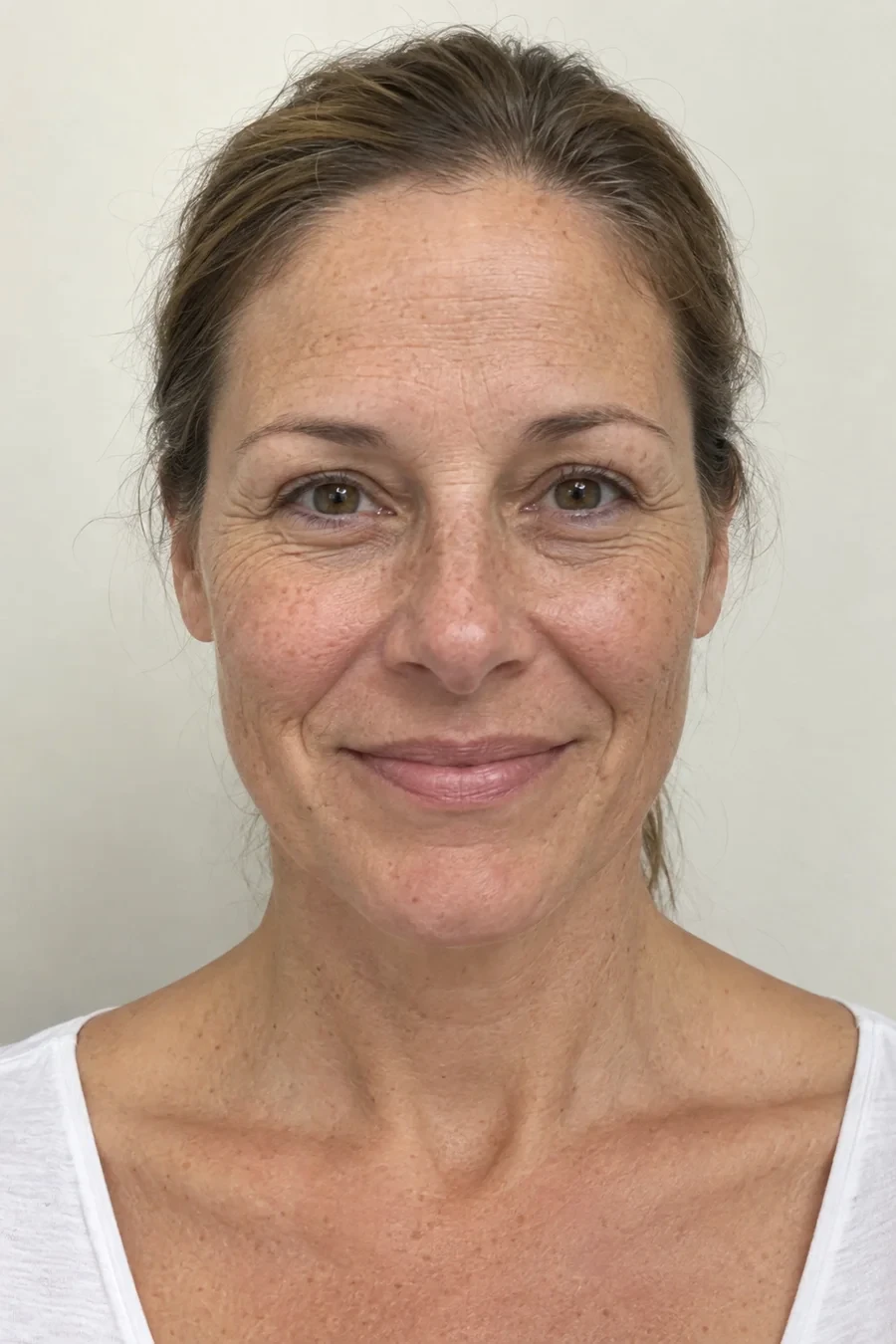 BeforeAI After
In the consult
Their face, their likely result
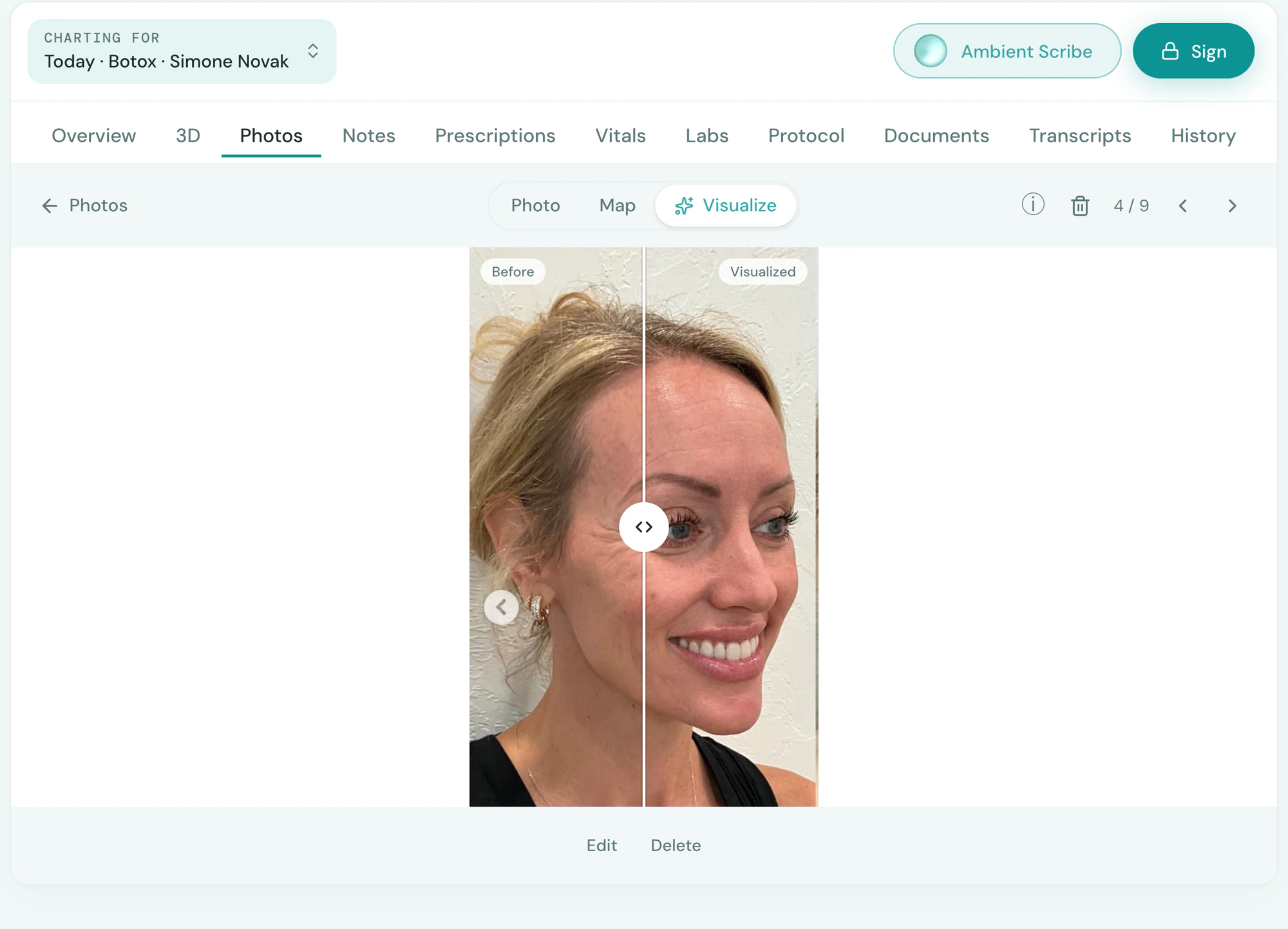
Tepali’s AI Visualization turns the before photo on a medspa client’s chart into the after you describe.
- Type “1 syringe lip filler, mostly upper lip”
- A slider puts the two on one face
- Proposed by the scribe when a treatment comes up
Exactly where
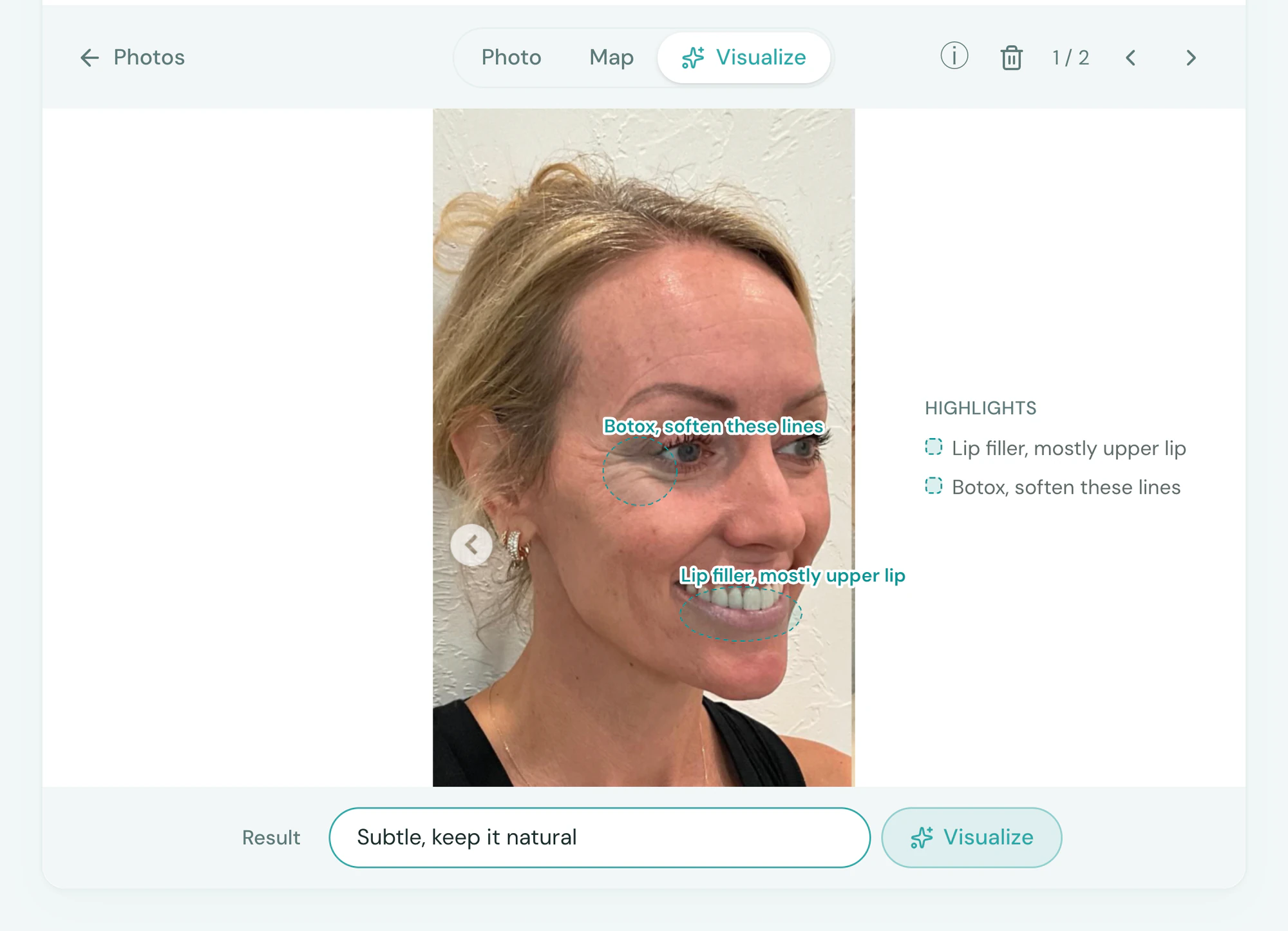
Outline the area, only that changes
Draw on the photo where each treatment goes and say what it is. AI Visualization changes those places and leaves the rest of the photo as it was.
- Outline the lips, tap the 11s, a note on each
- Use Map brings in the photo’s Treatment Map
- A chat image tool redraws the whole face
The plan
One syringe, or the whole plan
AI Visualization shows a medspa client who came in for lips the whole plan, and the yes gets bigger.
- Several treatments in one preview
- Set how far to go, subtle or full
- Lips, cheeks and a little Botox, together
After the consult
It goes home with them
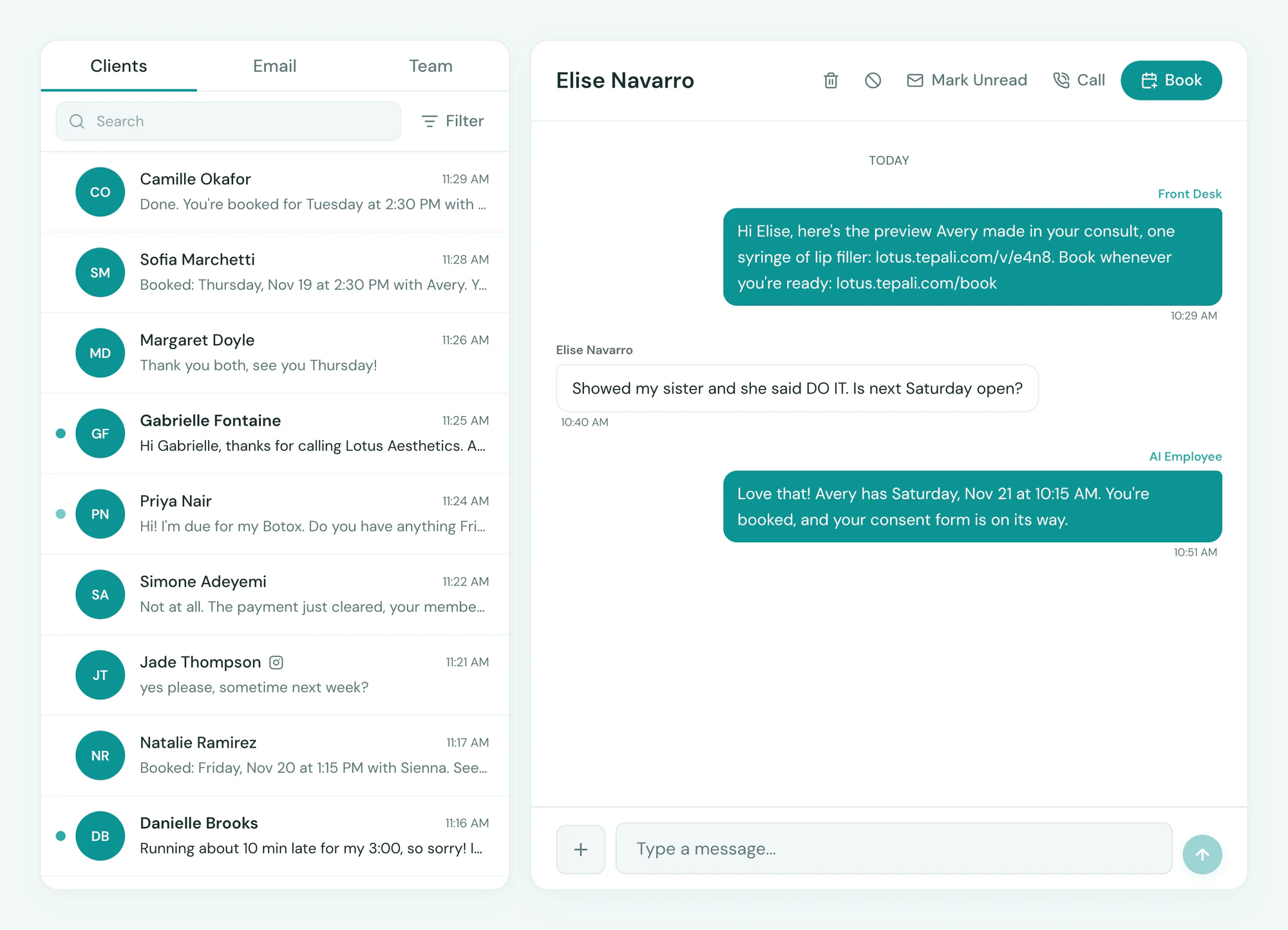
Text the AI Visualization to the client, so they can show whoever they ask before they spend.
- Texted with a booking link
- Shown to the partner, the friend, the group chat
- If they don’t book, an AI employee follows up
Trust
The same face, labeled a preview
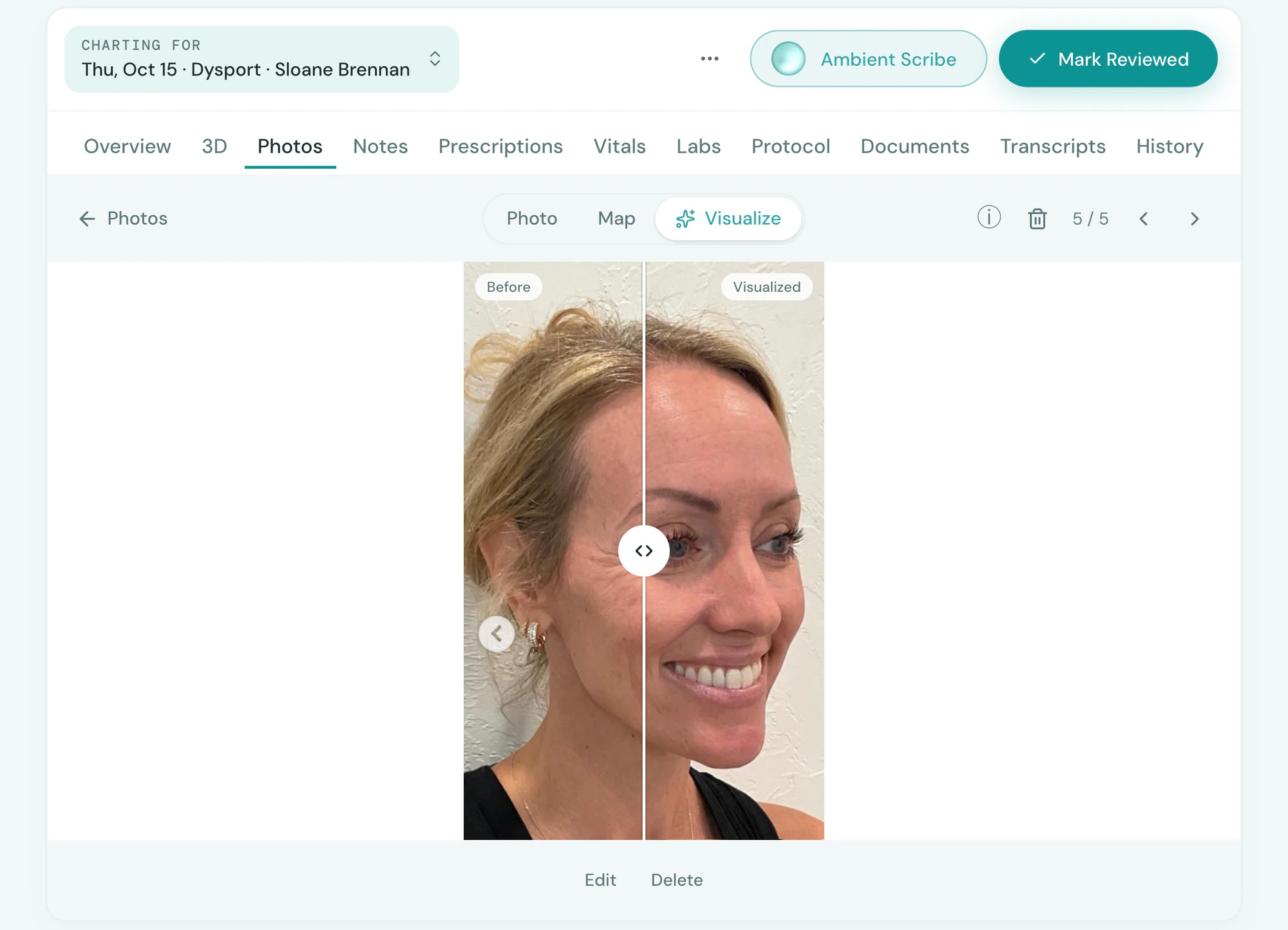
Every AI Visualization is edited from the client’s original photo and saved as a preview, not a promise.
- Only the treated area changes, no airbrushing
- Checked by a second model before it’s shown
- Labeled a preview in the consult and on the chart
Frequently asked questions
Book a demoWhat is AI treatment visualization for a medspa?
Tepali’s AI Visualization is a preview of a client’s likely result, made by editing their own before photo for the treatment you describe. Some call it an AI after photo or a treatment simulation. It supports the consult. It is not a promise of outcome.
Which treatments does it cover?
Any treatment you can describe, with Botox, fillers, lips, skin and body the common ones. Each is guided by what that treatment does and doesn’t change, so the preview stays realistic. Stack several in one request and set the intensity, and the client sees the whole plan on their own face.
Does it change the person’s face?
No. Every preview starts from the original photo and changes only the treated area. A second model compares it to the original before it’s shown.
Is this a liability?
Previews are labeled as previews on the chart and in the consult, and the copy you show clients says it’s a visualization, not a guaranteed result. Nothing is airbrushed or slimmed beyond the treatment described.
How is it different from a before-and-after gallery or a filter app?
A gallery shows someone else’s result, and a filter app smooths the whole face. AI Visualization starts from this client’s own chart photo, changes only the area you would treat, and saves the preview to their chart. For a model of the client you can turn, measure and age, see 3D Twin.
How is it different from asking ChatGPT to edit the photo?
A chat image tool takes a sentence and redraws the whole picture, so you cannot say where the change goes and the face tends to drift. In AI Visualization you outline each place on the photo and note the treatment for it, every preview is edited from the original photo, and when you draw marks only the marked places change. The preview is saved to the client’s chart, labeled a preview.
Can I show exactly where the treatment goes?
Yes. Drag to outline an area or tap a point, and give each mark its own note, such as “Botox, soften these lines”. Use Map copies in the photo’s Treatment Map as a starting point.
Can I send it to the client?
Yes. Text it with a booking link. If they don’t book, your AI employee follows up with the preview attached.
How long does it take?
About a minute. It runs on the iPad in the room while you keep talking.
Is AI Visualization included?
Yes. AI Visualization is included with Tepali.
Show a client their after, live