Multi-Location
One account,
every location
Run every location from one login and see which site is ahead and which is leaking money. Each one keeps its own calendar, prices, phone number and books.

Compare
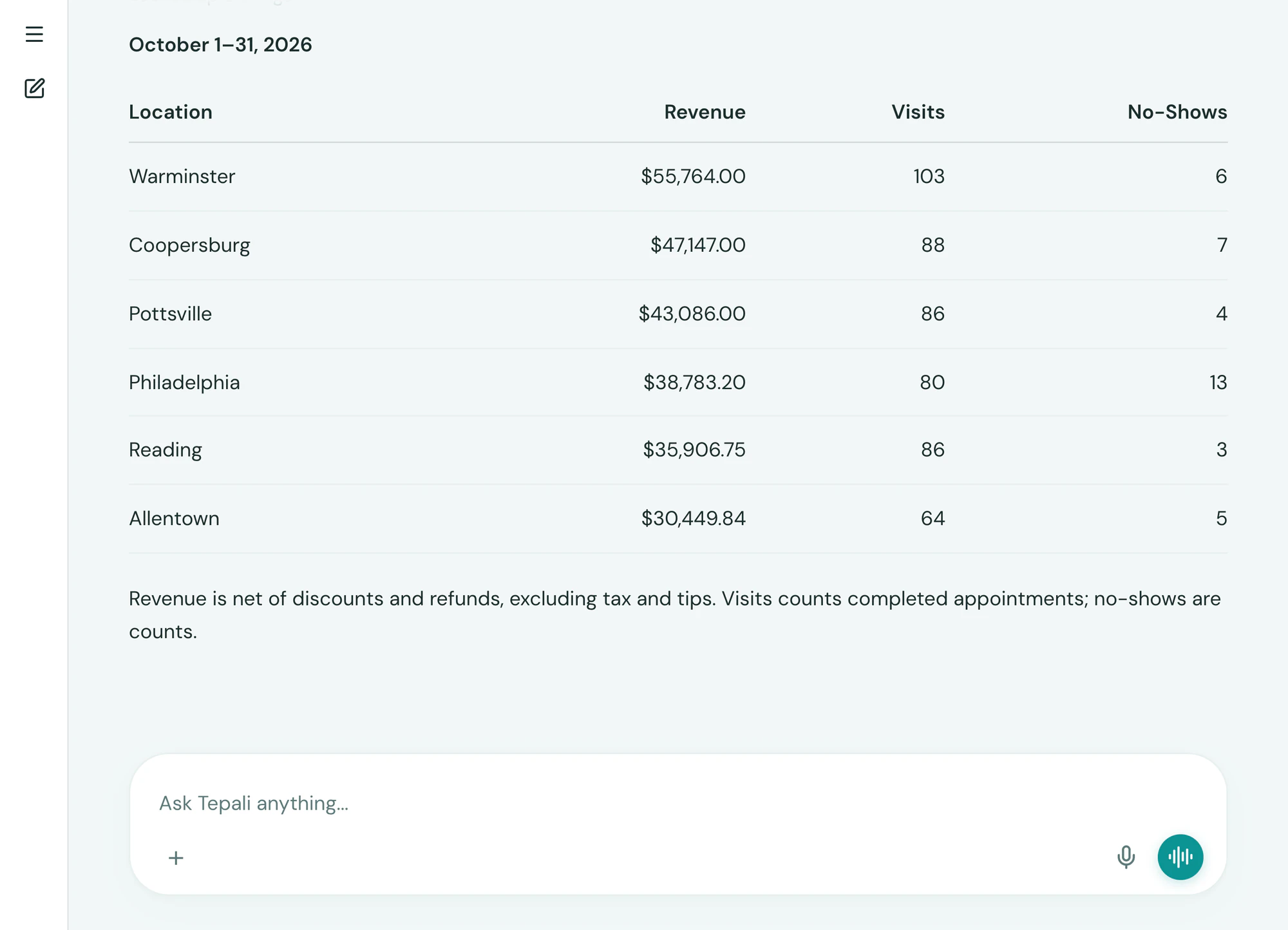
Compare locations in one question
Tepali’s Multi-Location reporting shows which medspa site is ahead and which is leaking money, in one table.
- Revenue, visits and no-shows, side by side by site
- One client record, whichever location they visit
- Daily sales posted to QuickBooks per location
Per location
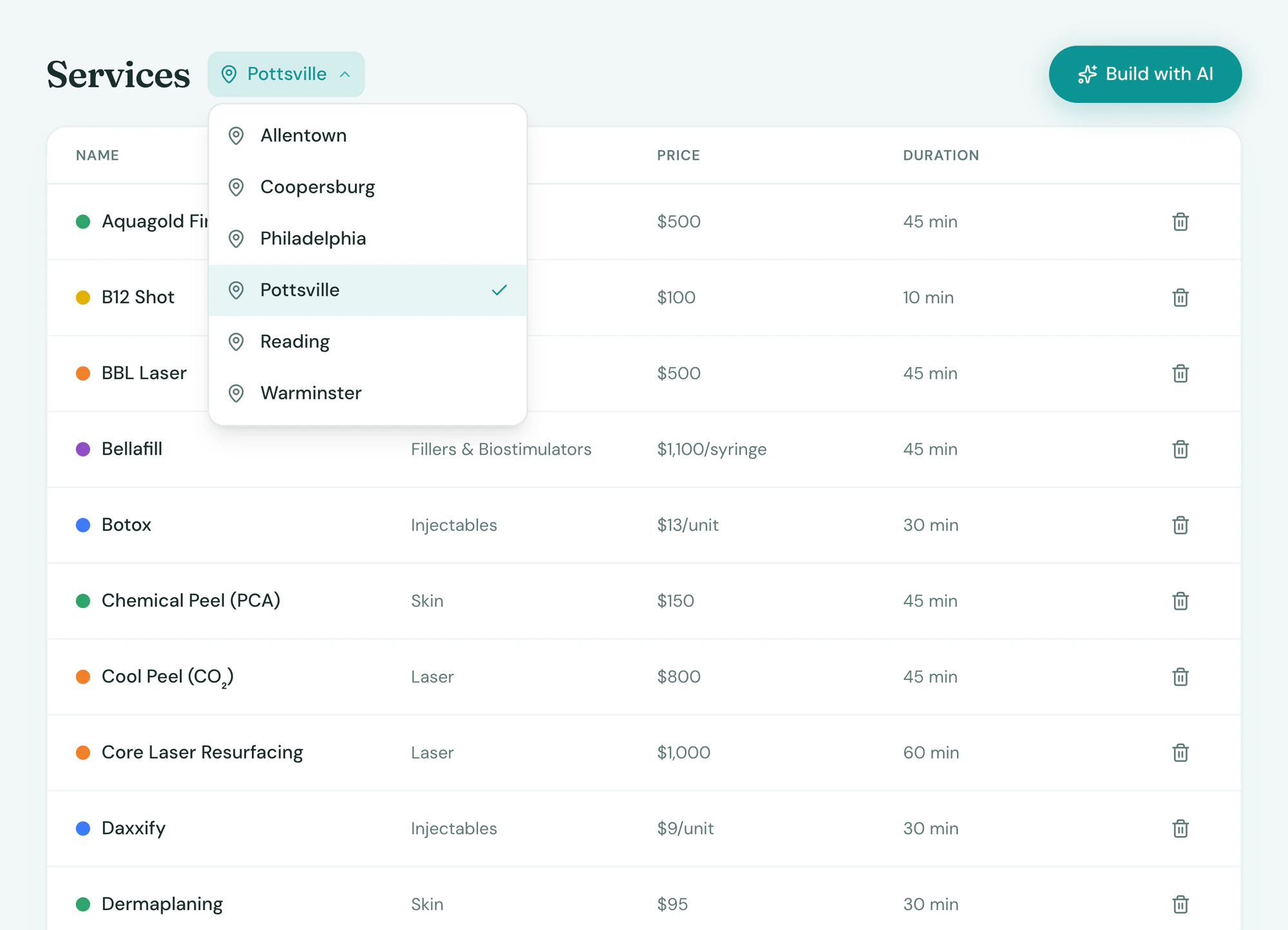
Each location, set up its own way
Tepali sets services, prices, hours, phone number and sales tax per location, so each medspa site fits its own market.
- Membership plans set per location
- An AI Receptionist on each location’s number
- Automations and AI employees, copied across sites
One login
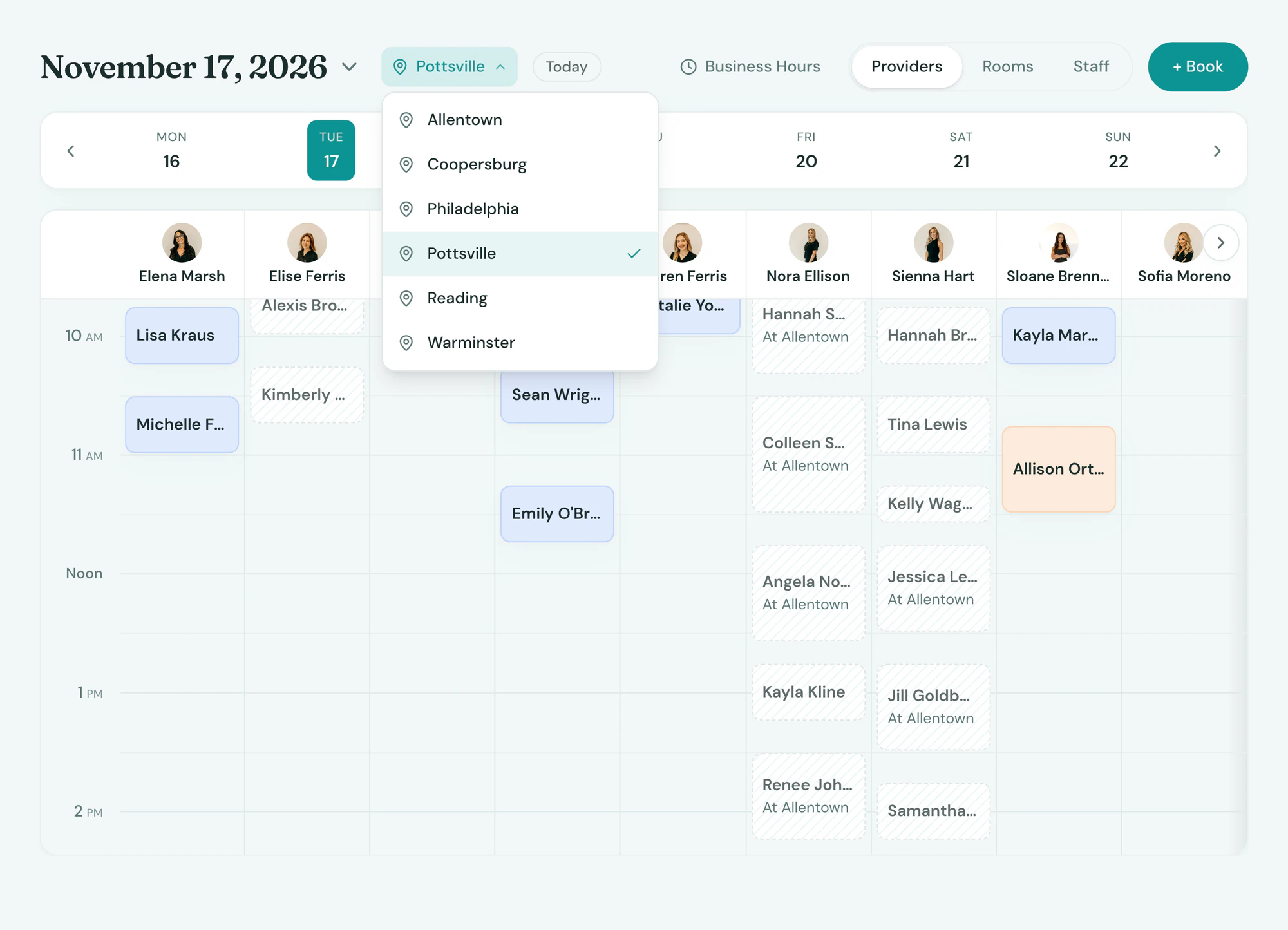
Every site, one login
With Tepali’s location switcher, staff see only the locations they work at and owners see everything.
- One calendar for a single site or all of them
- Providers who split the week between locations
- Roles decide who can see other locations
Frequently asked questions
Book a demoWhat is multi-location medspa software?
Tepali’s Multi-Location is one EMR account for a medspa, plastic surgery or wellness group with more than one site. Every location has its own calendar, services, prices, hours, phone number and sales tax rate, and the owner sees all of them under one login.
Do I need a separate account or login for each location?
No. Every location lives in one Tepali account. A switcher at the top moves you between sites or shows all of them at once, so there is nothing to log out of and no second set of client records.
Can I compare revenue by location?
Yes. Ask the AI Operator how any month compared by location or which location is holding the most unused credit, or build a report across sites, and you get one table with the reason behind the numbers. Daily sales also post to QuickBooks as one journal entry per location per day.
Can each location have its own prices, hours and phone number?
Yes. Services, prices, membership plans, business hours, phone number, sales tax rate, automations and AI employees are all set per location. When you want two sites to match, the setup is copied from one to the other.
Can staff and providers work at more than one location?
Yes. Each employee is assigned the locations they work at, and they see only those. A provider who splits the week between two sites has one login and one schedule.
Can a client visit more than one location?
Yes. A client has one record across the whole practice, so the chart, photos and visit history are there at whichever site they book.
How do I add a new location?
Tell the Tepali team and we set it up with its address, timezone, sales tax rate and phone number. Your services and automations can be copied from an existing site, so the new one opens with a working calendar.
Is Multi-Location included?
Yes. Multi-Location is part of Tepali, with no add-on for the switcher or cross-location reports. Pricing is per location and quoted on your demo call.
See every location on one screen