Automations
The right text,
at the right moment
Every appointment gets its confirmation, its forms and its aftercare text without your front desk sending one. Describe any other follow-up in a sentence and it’s built, with quiet hours and daily limits already on.


Every visit
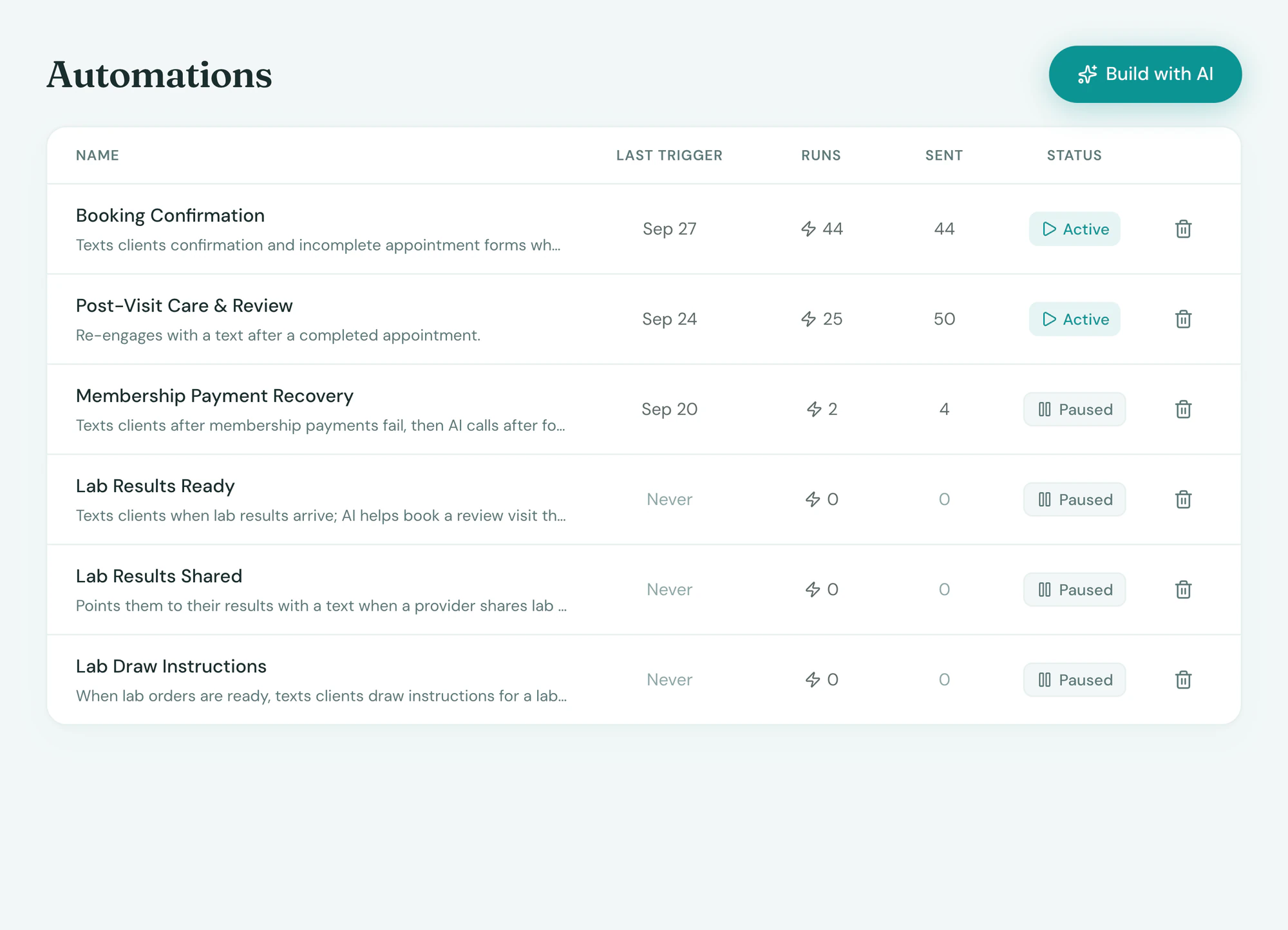
The texts every visit needs, sent for you
Tepali’s Automations confirm, remind and follow up with every medspa client by text, without your front desk sending one.
- Confirmation and intake forms at booking
- Day-before confirm, with any unfinished forms
- Aftercare, then a review request days later
Build
Say what should happen, it’s built
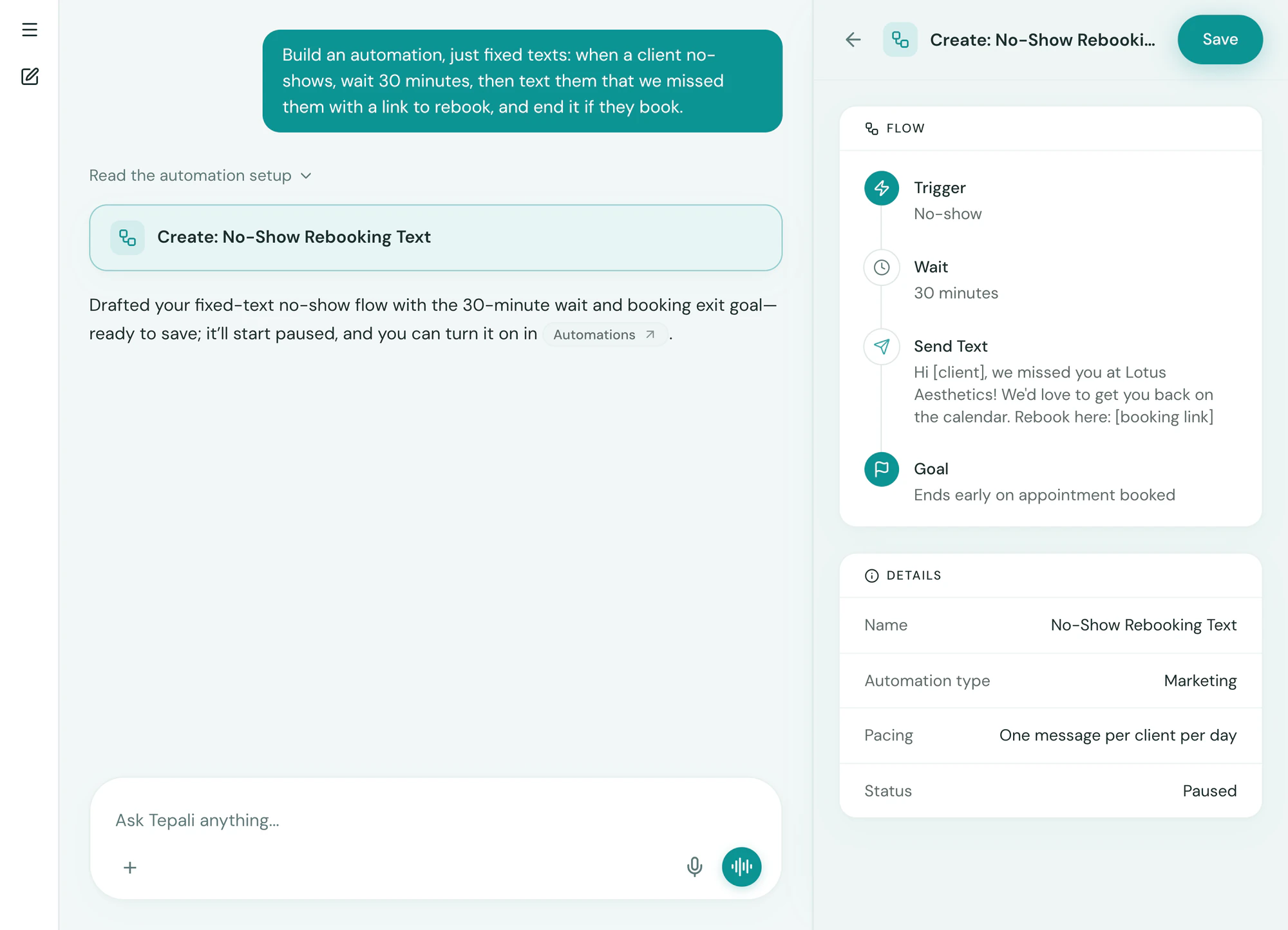
Describe a follow-up to the AI Operator, like texting no-shows thirty minutes later to rebook, and Tepali builds the whole automation.
- From a booking, no-show, lead or failed payment
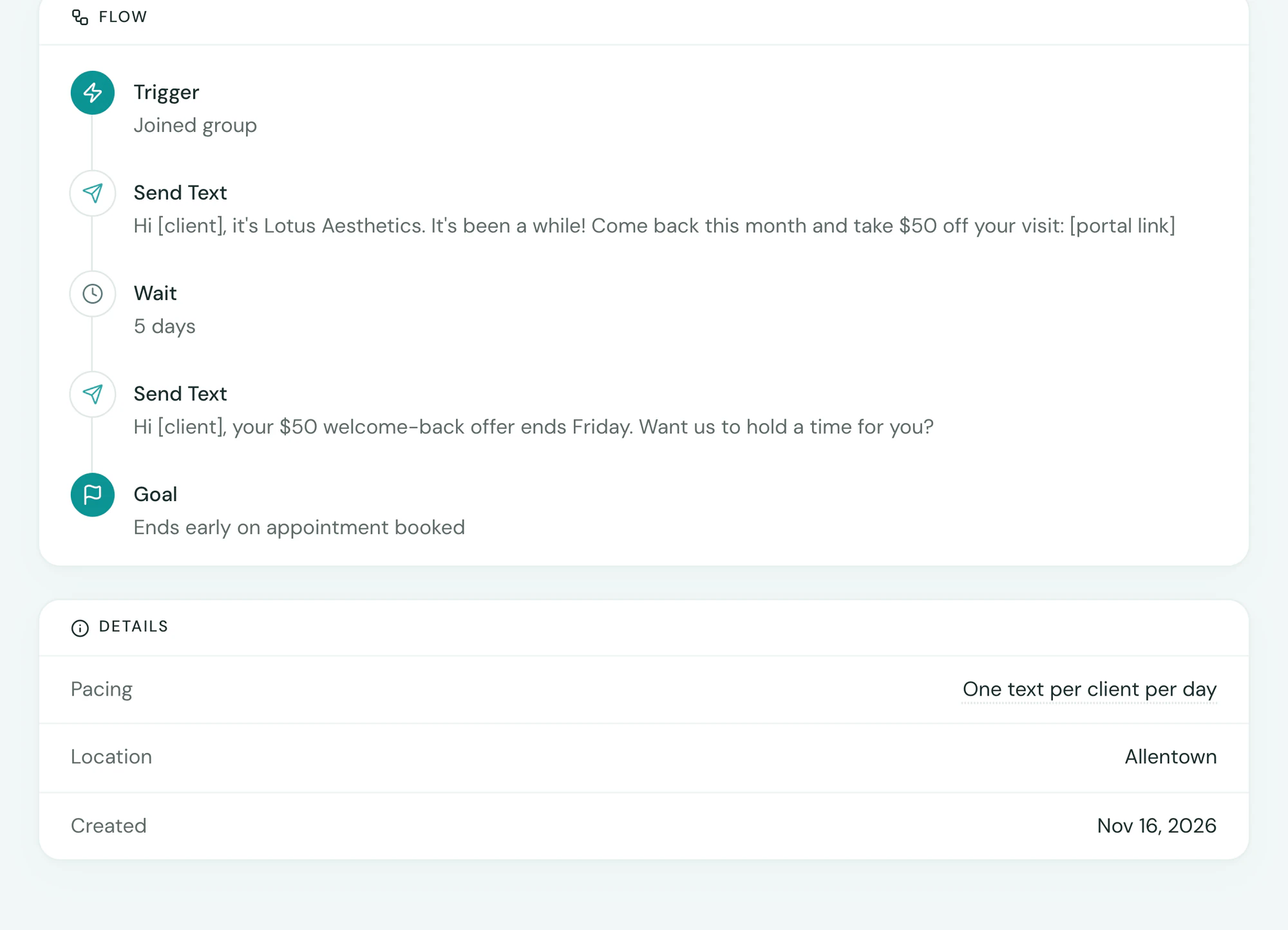
- Or when a client joins a group, like 90-day lapsed
- Texts, emails, waits and branches, yours to edit
Guardrails
Never too much, never at 2am
Tepali’s Automations keep your medspa’s texts welcome, so no client is woken up or messaged too often.
- Held 9pm to 8am in the client’s time zone
- One marketing text per client per day
- A booking ends the flow, so nobody is chased twice
Frequently asked questions
Book a demoWhat is a text automation for a medspa?
Tepali’s Automations are text follow-ups built into your medspa EMR that send themselves when something happens on the calendar. Each one is a trigger, such as an appointment being booked, followed by written texts, waits and a goal that ends it early. They replace the confirmations, reminders and aftercare messages a front desk sends by hand.
Which automations come ready to use?
Every location starts with Booking Confirmation, which also sends intake forms and a day-before confirmation, and Post-Visit Care & Review, which sends aftercare a few hours after the visit and a review request a couple of days later. Clinics that order labs also get results-ready and draw-instruction texts. All of them start paused, so nothing sends until you turn it on.
How do I build an automation?
Describe the outcome to the AI Operator, for example “text no-shows 30 minutes later and try to rebook them.” It proposes the trigger, the steps and the goal for you to review before saving. Edits work the same way, in a sentence.
What can trigger an automation?
An appointment being booked, started, completed, cancelled or missed, a slot opening up, a new lead, a client joining a group, or a failed membership payment. Appointment triggers can be limited to certain services or to consultations only.
What is the difference between an automation and an AI employee?
An automation is a fixed flow: the same written texts, in the same order, for every client who triggers it. An AI employee holds a two-way text conversation toward a goal, like rebooking a no-show, and answers what the client asks. An automation can hand a client to an AI employee when the reply needs a conversation.
Will clients get too many texts?
No. Automated texts are held between 9pm and 8am in the client’s time zone and released in the morning. Automations that ask for a new purchase are limited to one text per client per day, and an opt-out stops them all.
Do I need a separate texting or reminder app?
No. A separate app only knows what someone exports to it. Tepali’s Automations run off the calendar, the forms and the checkout in the same system, so a reminder skips the forms a client already finished and a flow stops the moment she books.
Are automations included?
Yes. Automations are part of every Tepali plan. Bulk texts and emails you send by hand have a monthly allowance set in your quote.
Build your first follow-up in a sentence