Forms
Signed on their phone,
filed to the chart
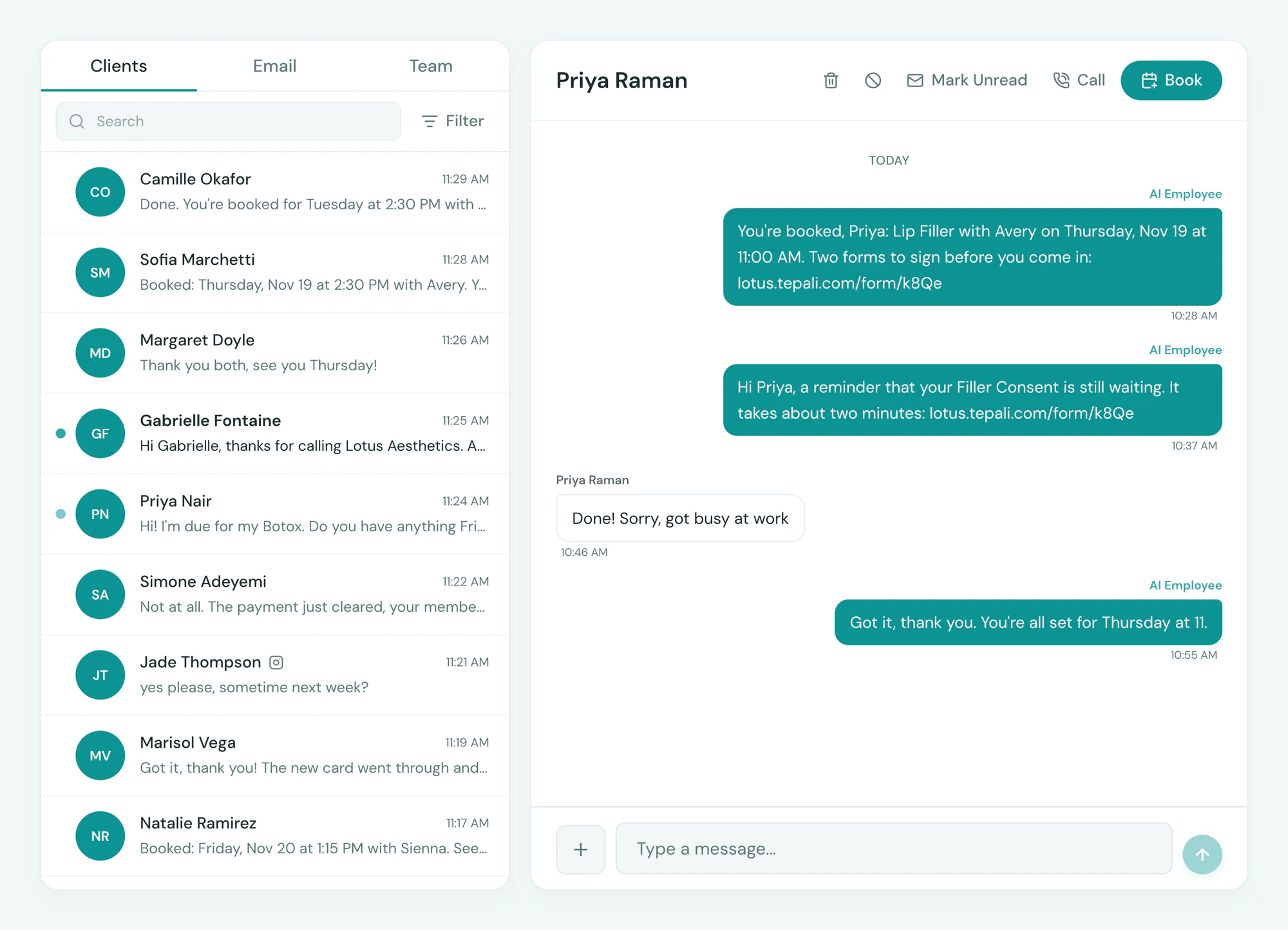
Intake and consent forms go out by text with the booking and come back signed before the client arrives. Every signed copy is filed to the chart, and you can see who has not finished.

Send
Texted with the booking, chased before the visit
Tepali Forms get every required intake and consent signed before the client arrives, without the front desk chasing anyone.
- Private link, no login and no app
- A reminder the day before to anyone unfinished
- On the appointment: not sent, sent or completed
The record
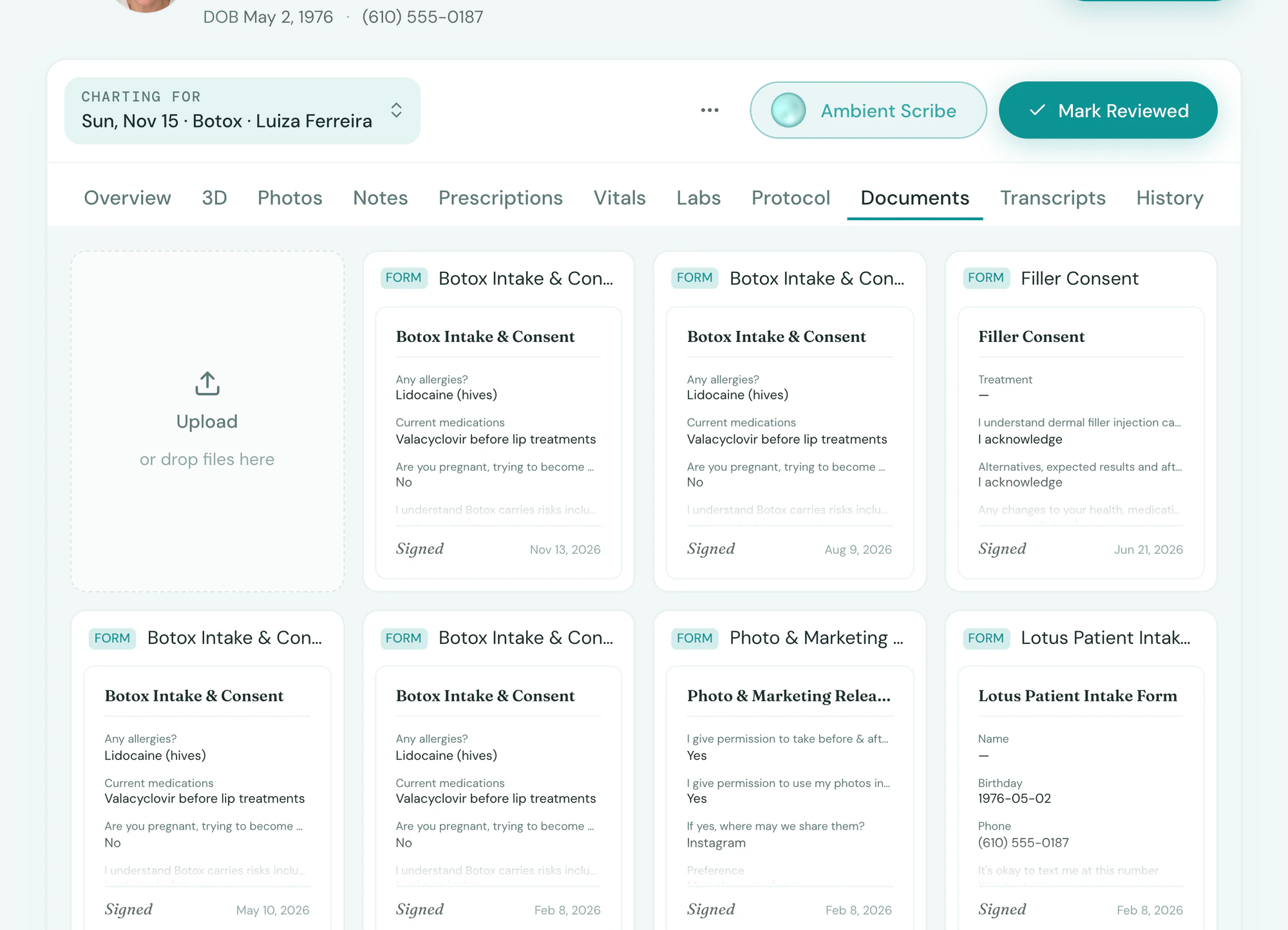
On the chart, not in a folder
Tepali files every submitted form with the visit it was signed for, so you can produce a consent whenever asked.
- Allergies and contraindications flagged
- Signed consents ready as payment dispute evidence
- Exportable with the chart as PDF
Build
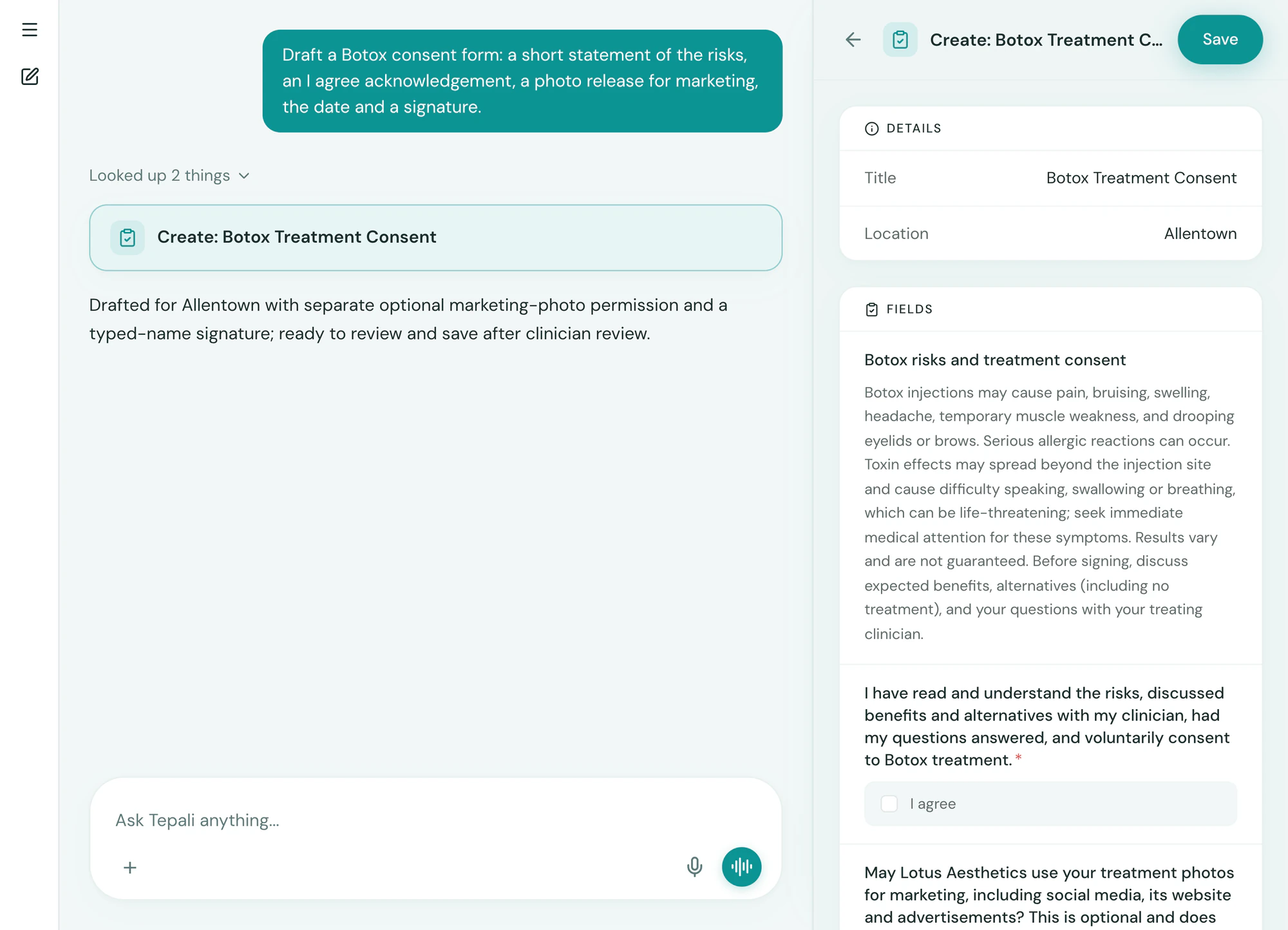
Describe the form, it’s built
Tell the AI Operator what you need, a Botox consent or a new-patient medical history, and it drafts the form.
- Intake, consent and questionnaires
- Signature, photo and date fields, required or not
- Tied to the services that need them
Frequently asked questions
Book a demoWhat are digital intake and consent forms for a medspa?
Tepali’s Forms are intake, consent and questionnaire forms that a medspa or wellness clinic sends by text and the client signs on their own phone. The signed copy is filed to the client’s chart with the visit, and answers like date of birth, allergies and contraindications update the profile.
How are forms built?
By describing them to the AI Operator. It drafts the fields, you adjust, and you save. Short text, long text, choices, checkboxes, dates, photos and signatures are all available.
How do clients get a form?
By text, as a private link, or by Instagram DM when that is how the client reaches you. Forms tied to a service go out automatically with the booking confirmation, and you can send or resend any form from the appointment or the inbox. Clients also see outstanding forms in the patient portal.
How do I know who hasn’t finished?
Each required form shows not sent, sent or completed on the appointment, and the day-before reminder chases the unfinished ones. The form’s Activity tab lists every client it went to, with when it was sent and completed.
Can I use a kiosk or iPad in the lobby?
Forms open on any device, so a lobby iPad works for a walk-in. Most practices send them by text before the visit.
Can I use paper consents or a separate form app?
You can, but then someone has to file each signed copy to the chart and check by hand who is missing one. Forms in Tepali know the appointment and the service, so the right consent goes out on booking, its status shows on the calendar, and the signed copy is already on the chart.
Do signed forms from my old system move over?
Yes. When you switch to Tepali, your forms come over along with the signed copies your clients already completed, so nobody signs twice.
Are forms included?
Yes. Forms are part of every Tepali plan.
Sign your own consent on your phone