Reviews
More Google reviews,
asked at the right time
Each client gets a text after the visit with a link straight to your Google page. You choose the timing, and a request never lands in the middle of a complaint.


The ask
Timed to the visit, not a blast
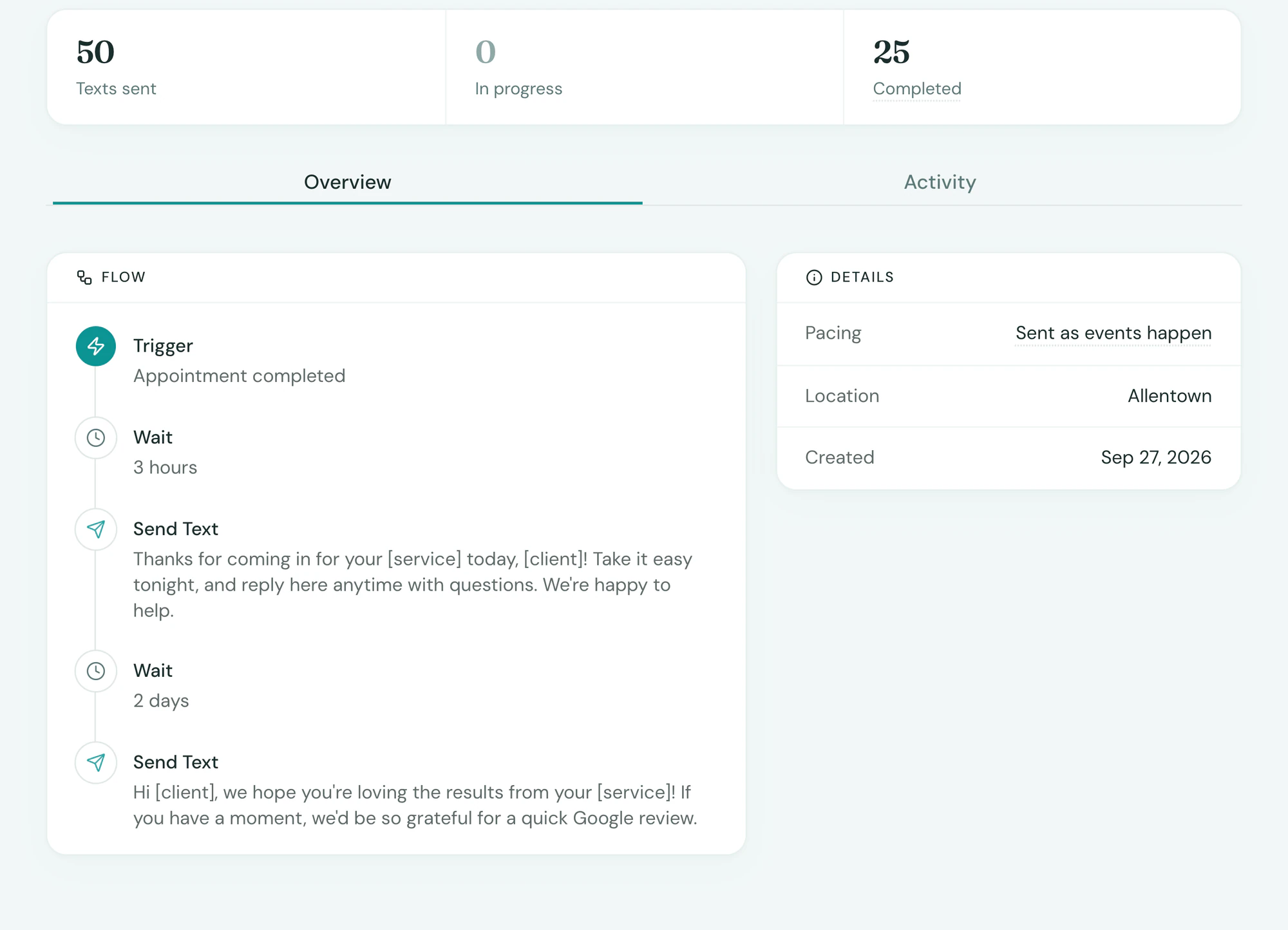
Tepali texts each medspa client a Google review request after the aftercare, when the result is in and the client is happy.
- A couple of days later, or the delay you set
- One tap to your Google review page
- Written in your practice’s voice
Who
Never sent into a complaint
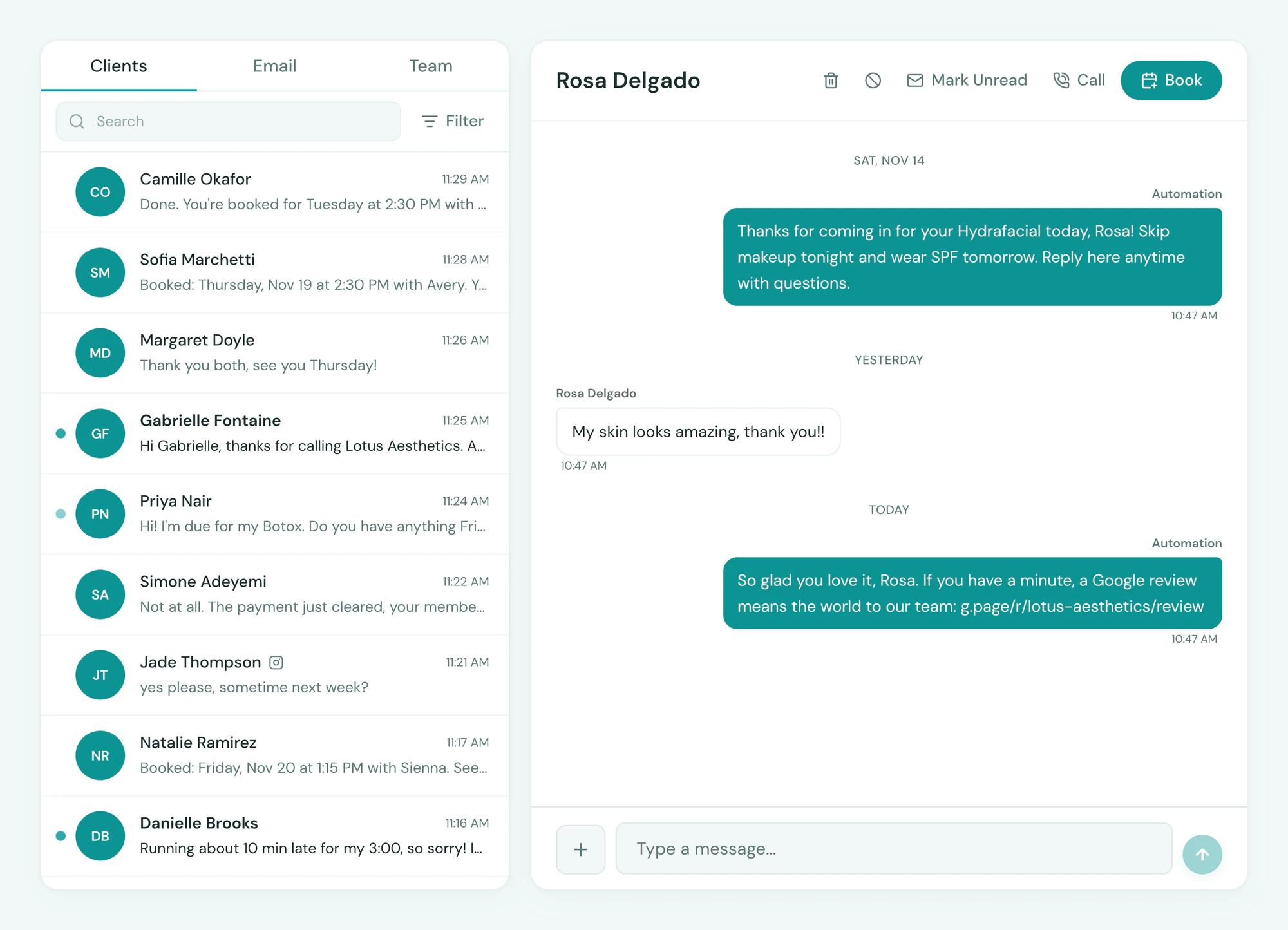
Tepali asks every client for a review, and a request waits until any open issue on that client’s thread is resolved.
- Sends once the issue is resolved
- One request per visit
- An opt-out stops the request
Track
Sent, clicked, reviewed
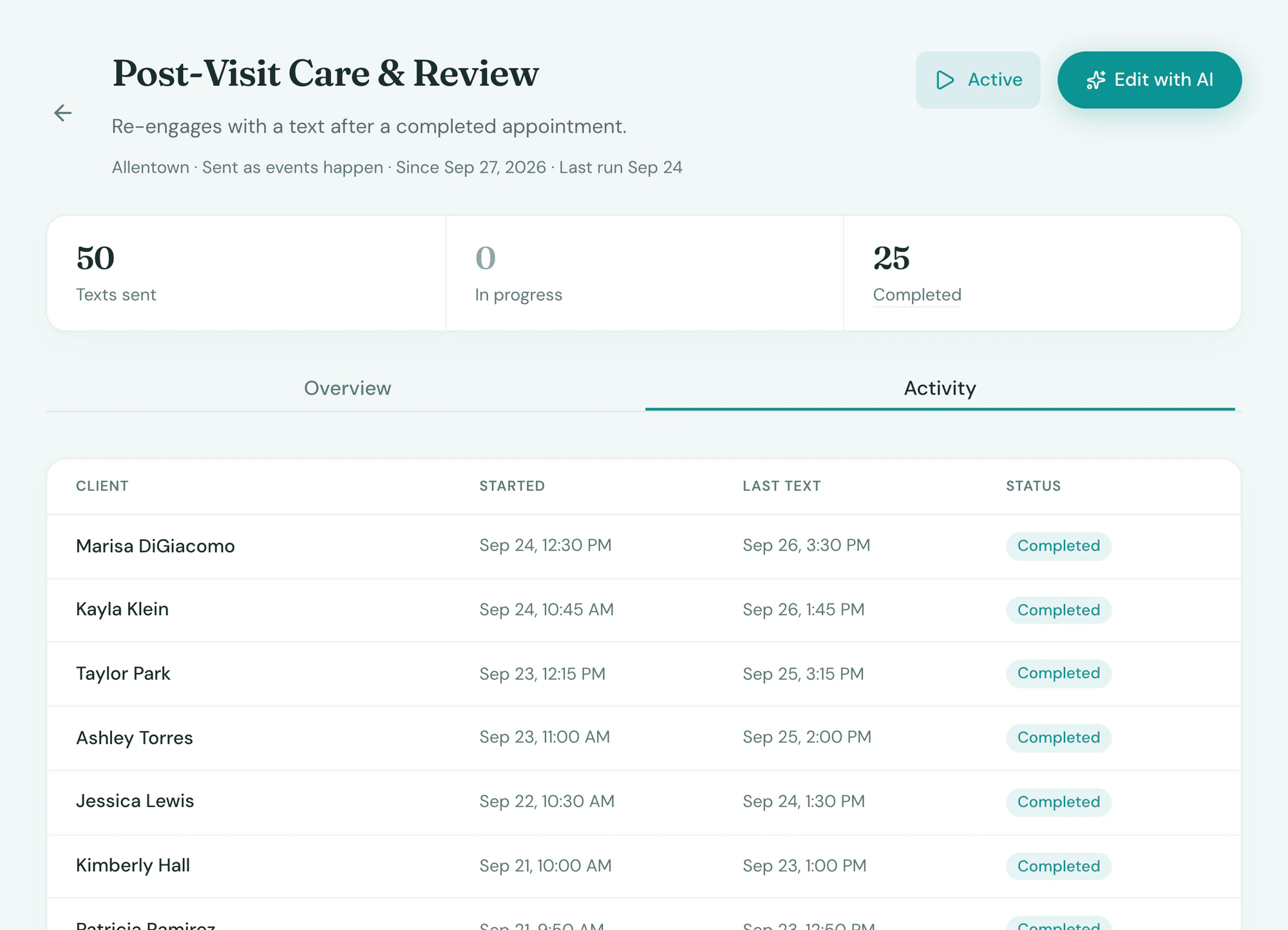
Tepali shows how many review requests went out and how many were clicked, so you can tell whether the timing is working.
- Sent and clicked for any period
- Counted with your aftercare texts
- Change the wording in a sentence
Frequently asked questions
Book a demoHow do I get more Google reviews for my medspa?
Tepali’s Reviews feature texts each client a review request after their visit, with a link straight to your Google review page. It runs as part of the post-visit follow-up in your medspa EMR, so the ask goes out every time without anyone at the front desk remembering.
When is the review request sent?
By default, aftercare goes out a few hours after a completed appointment and the review request follows a couple of days later. You can change the delay, and texts are never sent between 9pm and 8am in the client’s time zone.
Can I avoid asking a client who has a complaint?
Yes. The request waits while the client’s thread has an open issue and sends once it is resolved, so nobody is asked for a review in the middle of a complaint.
Does it work with Google?
Yes. The link goes straight to your Google review page. Other review sites work the same way with their link.
Can I change what the text says?
Yes. Tell the AI Operator how you want it to read, or how long to wait, and it edits the automation for you to review. The request stays off until you turn it on.
Do I need a separate review app?
No. A separate review tool has to be told when a visit happened. Tepali already knows the appointment was completed and whether the client has an open issue, so the request is timed from the visit itself.
Will clients be asked more than once?
No. Each visit gets one request, and an opt-out stops it, like every automated text in Tepali.
Are review requests included?
Yes. They’re part of every Tepali plan.
See your next ten reviews lined up