Staff Scheduling
Every shift set once,
the calendar follows
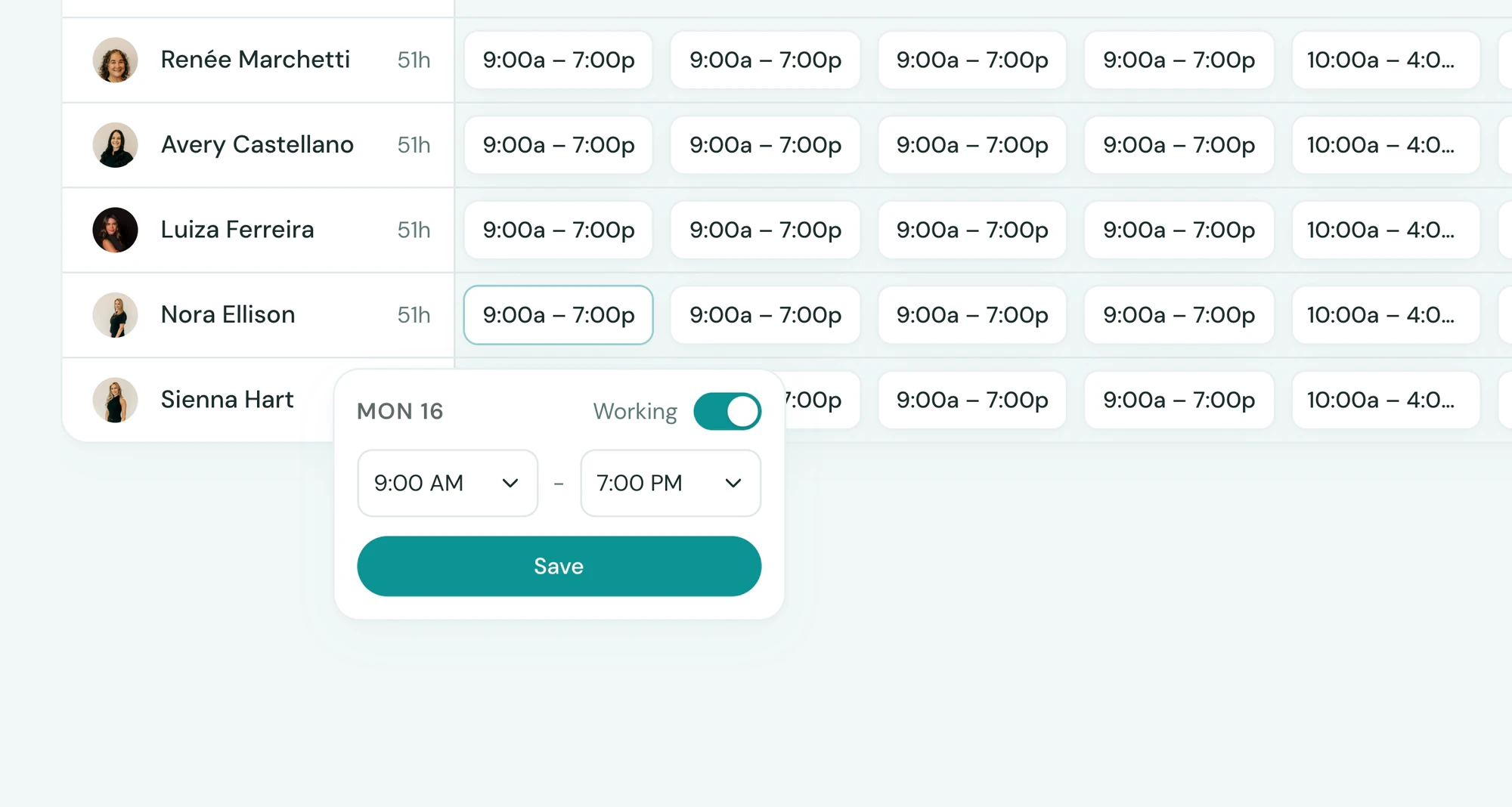
See who is working every day this week, front desk and providers, on one screen. Change a shift and online booking, the calendar and the timesheet all follow.




The week
Your whole team, one week at a time
Tepali’s Staff Scheduling shows every shift at your medspa as a chip you click to change.
- Front desk and providers on one view
- A usual week repeats, single days change by date
- Today shows who is clocked in
Booking
Online booking only offers hours you set
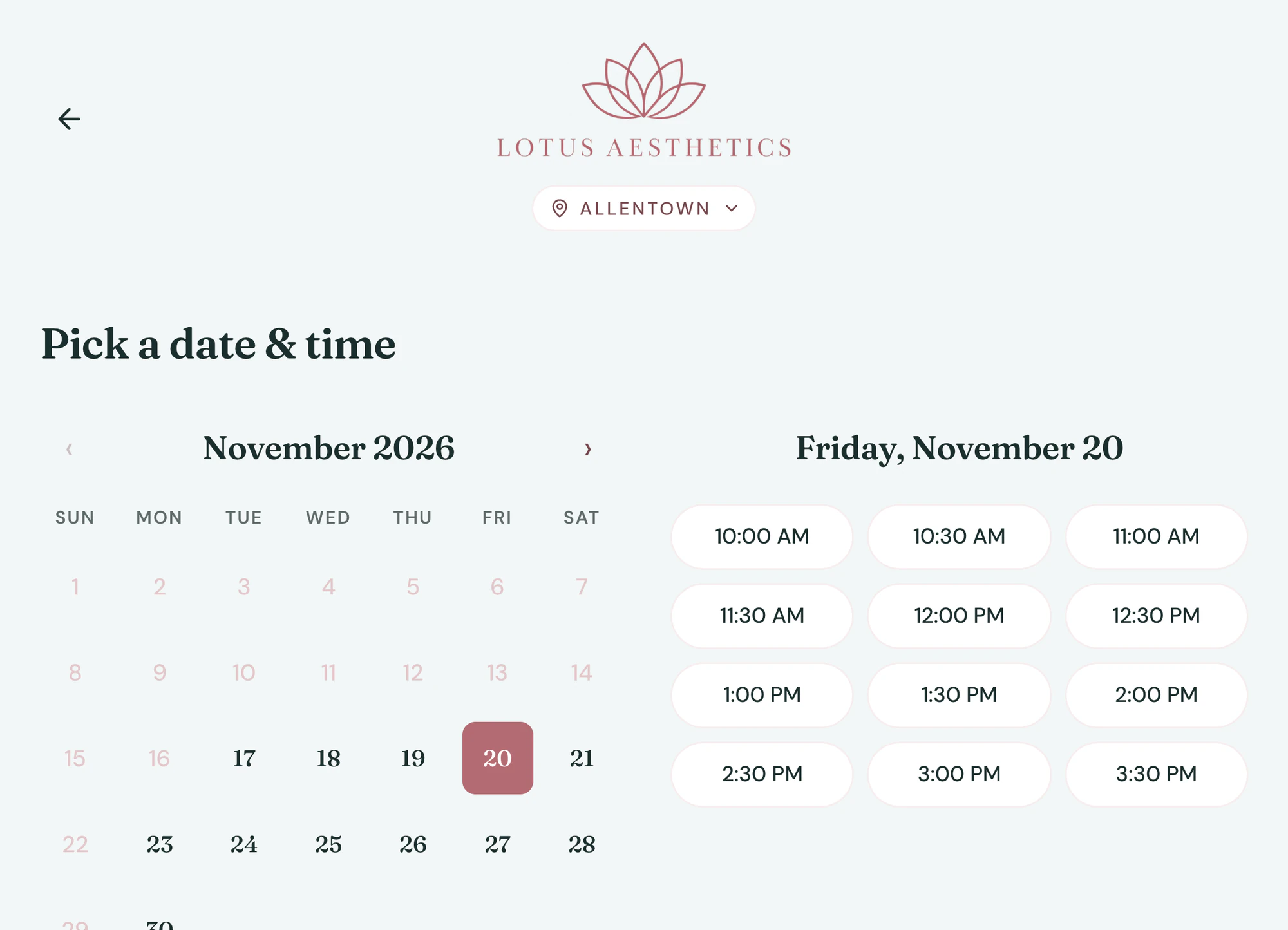
Tepali’s staff schedule is the one clients book into, online, by text or on a call with the AI Receptionist.
- Clients and the AI can’t book outside a shift
- Time off removes the day everywhere
- Changes reach the booking page at once
Timesheets
The schedule fills the timesheet
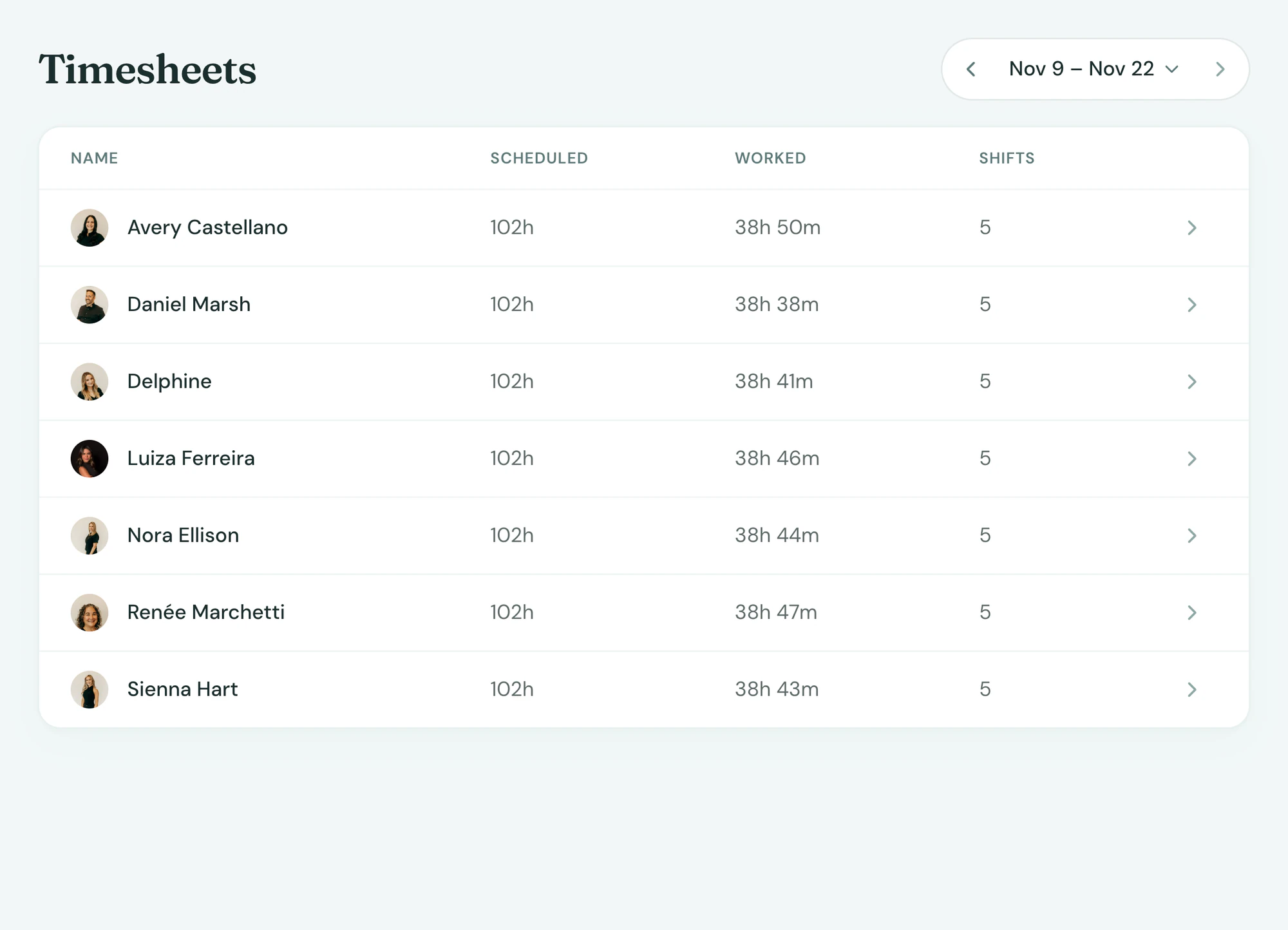
Scheduled shifts flow into Tepali’s timesheets, so every pay period shows scheduled hours beside hours worked.
- A missed punch falls back to the shift
- Fallback shifts wait for you to confirm
- A reminder when a shift starts with no clock-in
Frequently asked questions
Book a demoWhat is staff scheduling software for a medspa?
Tepali’s Staff Scheduling is the week view of every shift at your medspa or wellness clinic, built into the same calendar clients book into. You set hours, days off and the usual week for front desk and providers. Online booking, the calendar and the timesheet all read from it.
Can I schedule the front desk, not just providers?
Yes. Everyone at the location has a row on the week view, whether or not they take appointments, with the front desk listed first. Seven days run across the top, and each day shows how many people are working.
Does the staff schedule control online booking?
Yes. Clients and the AI can only book inside a provider’s set hours, and a day off removes that day from the booking page. Your own staff can still book outside hours when they need to.
How do I handle time off or a one-day change?
Click that day on the week view and change the hours or mark it a day off. The usual week stays as it is. For part of a day, such as lunch or training, block the time on the calendar.
What if our hours change every week?
Switch the location to week-by-week hours and set each provider’s hours one week at a time, with a shortcut to copy last week. Days you have not set are closed, on the calendar and for online booking.
Can hours differ by location?
Yes. A provider who works two locations has hours at each, and each location’s calendar shows only its own.
Do I still need a separate scheduling app?
Not for shifts. A separate app means the shift lives in one place and the booking calendar in another, and someone retypes every change. In Tepali the shift is the booking calendar, and it feeds the timesheet for payroll.
Is Staff Scheduling included?
Yes. Staff Scheduling is part of every plan.
Set next week’s shifts in a minute