Charts
Every client’s history,
on one chart
Every note, photo, treatment map, consent, prescription and lab from every visit sits on one chart. You see what is still unsigned, and what gets charted becomes the checkout.


The record
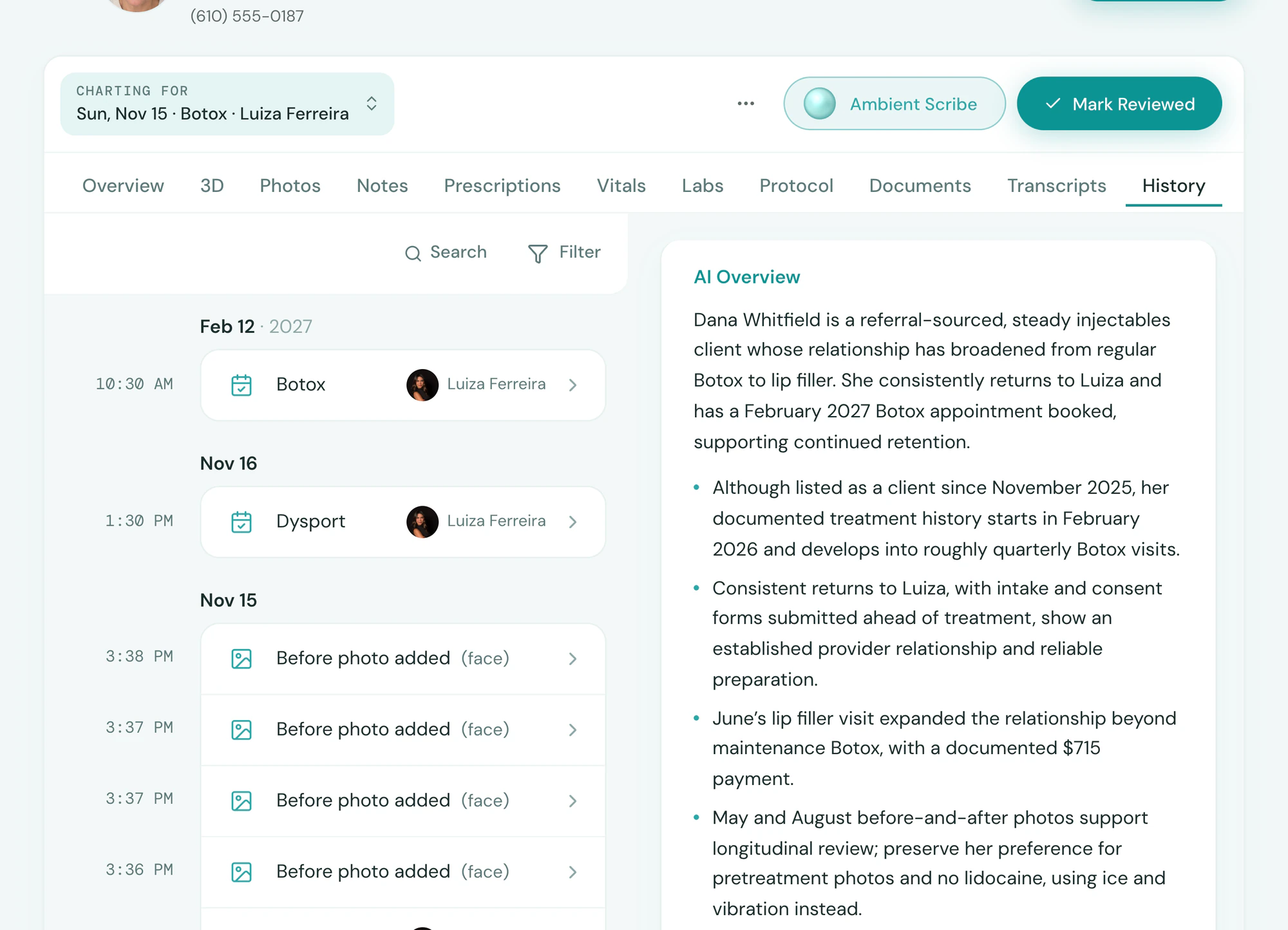
The whole client, one page
Tepali Charts keep every note, map, photo, form, prescription, lab and vital for a medspa client together, sorted by visit.
- Before and after photos beside the note they belong to
- Outside records, old labs and PDFs uploaded
- Export the whole chart, or one visit, as a PDF
Before the visit
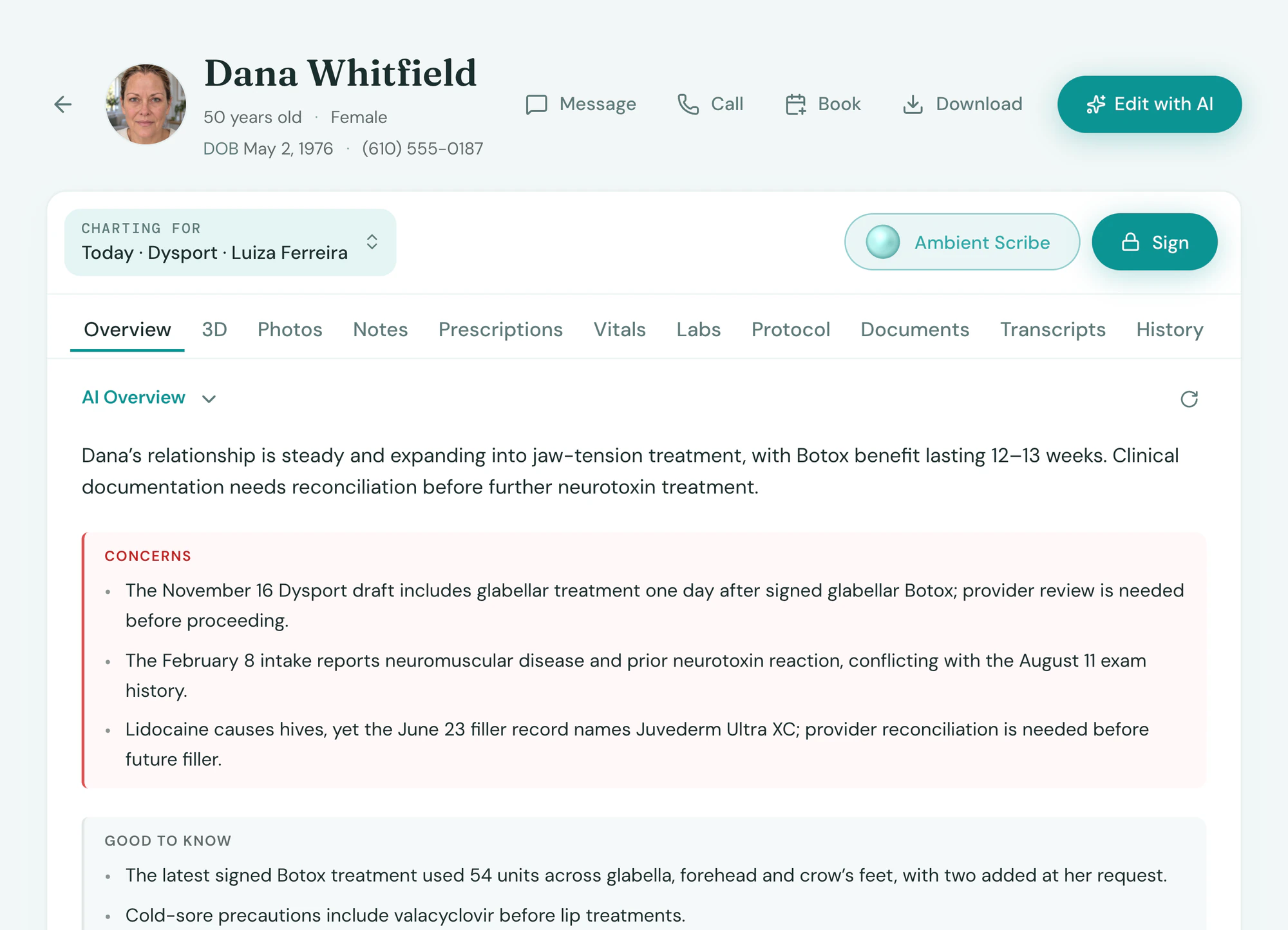
Briefed before they walk in
Open the appointment and Tepali has already written the provider a short brief from the client’s chart.
- Last visit and dose, up top
- Allergies and contraindications flagged
- Written only from the client’s own record
Sign-off
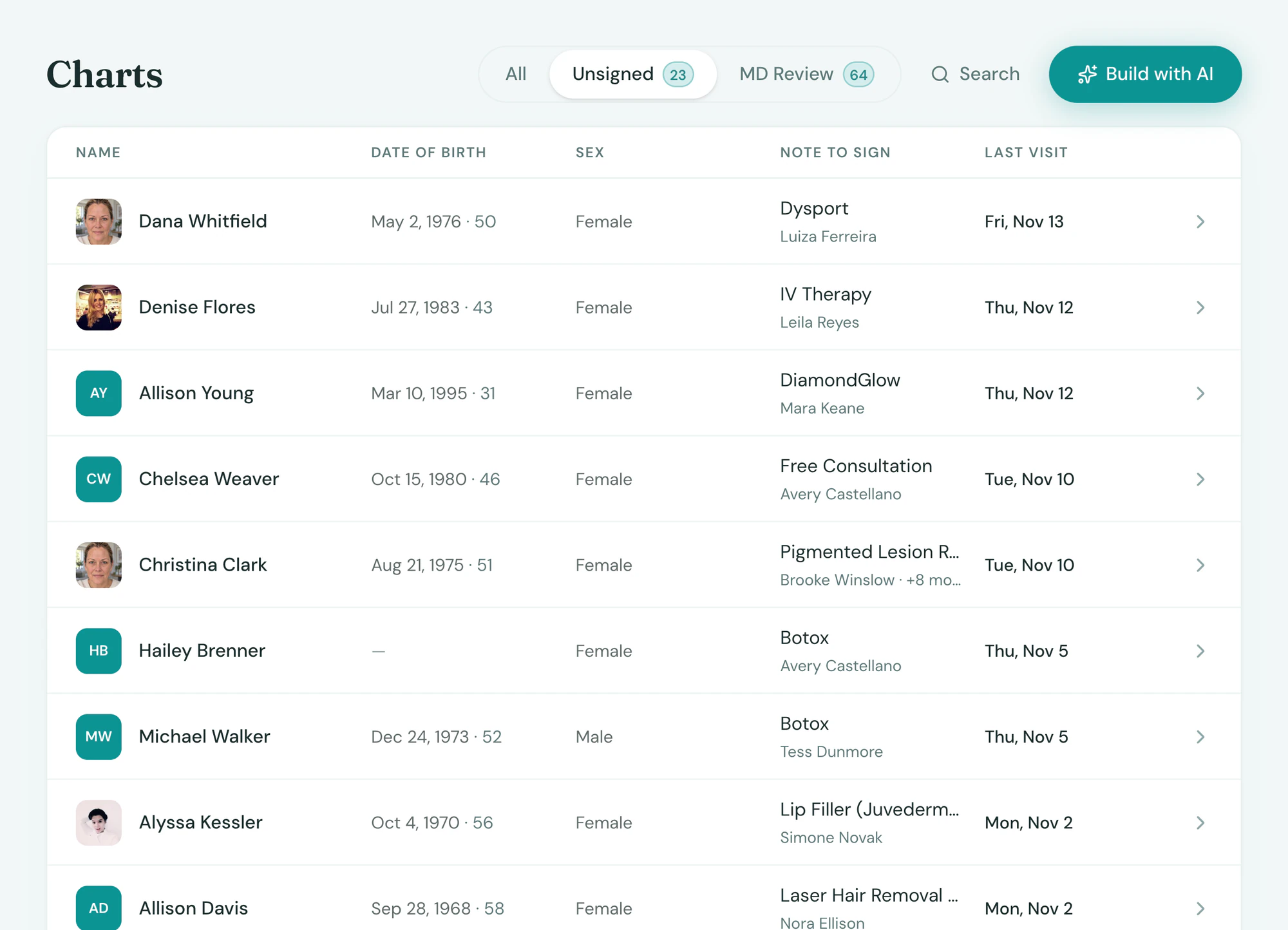
No chart left unsigned
Every Tepali chart note is signed by the treating provider and locked with their name, the date and the time.
- Unsigned notes listed by provider and visit
- Non-physician notes queue for MD review
- Signed by and reviewed by, stamped on every note
Connected
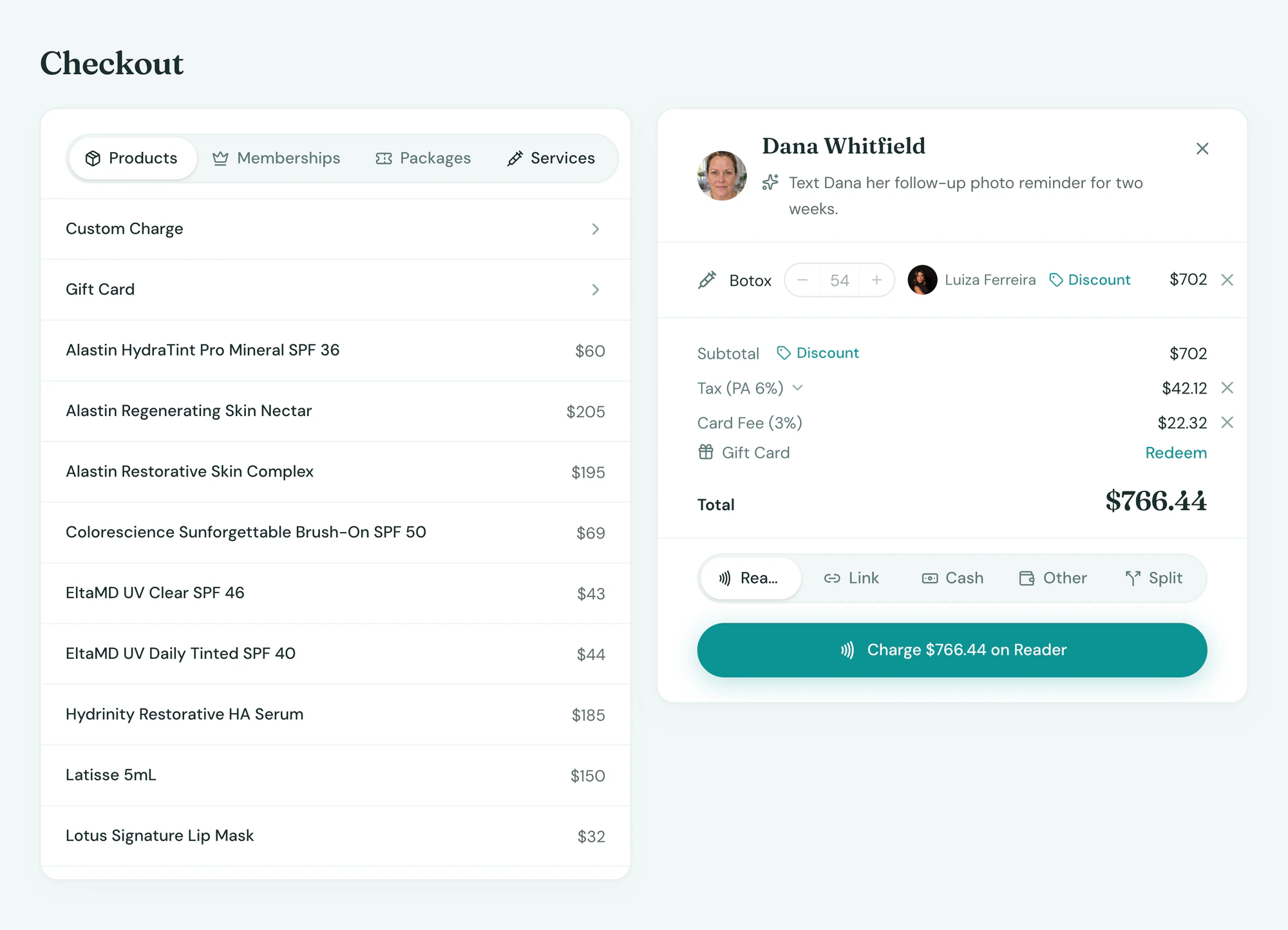
The chart runs the rest of the visit
Charting in Tepali is not a second job after the visit, because the note you sign does the rest.
- Charted units build the sale
- Inventory deducted by lot on signing
- Last visit’s dose opens the next visit’s brief
Frequently asked questions
Book a demoWhat is a medspa EMR chart?
Tepali’s Charts are the single clinical record for each client of a medspa, plastic surgery or wellness practice: visit notes, treatment maps, before and after photos, forms, prescriptions, labs and vitals. It is the same record the front desk, checkout and the AI work from, so nothing is typed twice.
Who signs a chart note, and how do I know nothing is unsigned?
The treating provider signs, and signing locks the note with their name, the date and the time. Unsigned notes are listed on Charts and lead each client’s notes. Notes signed by anyone other than an MD or DO wait in an MD Review list for your medical director.
Can I use my own note templates?
Yes. Build templates by describing them, a SOAP consult, a neurotoxin note, a laser note, and tie them to services so the right one opens for each visit. Good faith exam templates set their own validity period.
Do my old charts move over when I switch?
Yes. Notes from your old system become chart notes dated to the visit, and forms come over with the signed copies. Photos and documents move where the old system lets them be exported, and anything else can be uploaded to the chart as a PDF, image or Word file.
Can I keep paper charts or a separate EMR next to my booking software?
You can, but then someone types every treatment twice and nobody can see which charts are unsigned. In Tepali the chart is part of the same system as the calendar, checkout and inventory, so the units a provider charts are the units that get billed and deducted.
Can I export a client’s chart?
Yes. The whole chart, or one visit, downloads as a PDF with every signed note, map, photo, prescription and lab.
Is Tepali charting HIPAA compliant?
Yes. Tepali is built to handle PHI: encrypted in transit and at rest, role-based access, and BAAs with every vendor that touches it.
Is charting included?
Yes. Charts are part of every Tepali plan. The Ambient Scribe that drafts the notes is included too, with a monthly allowance set in your quote.
See a client’s whole history on one chart