Notes
The chart note, done
before they leave
Every visit gets a structured note in your own template, drafted by the ambient scribe and ready to sign. Unsigned notes stay on top, and the ones that need a physician queue for your medical director.

During the visit
Filled while you treat
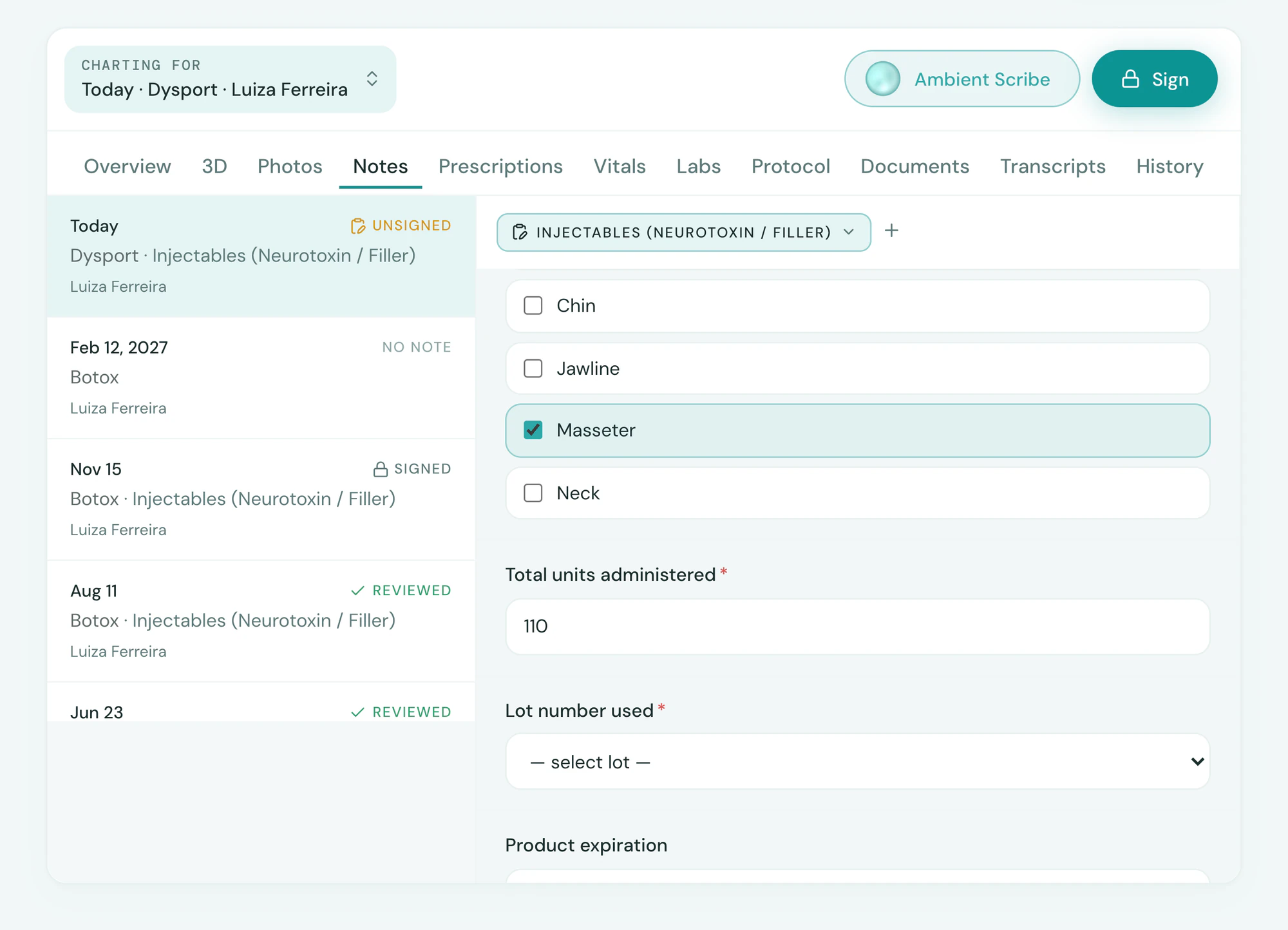
The Ambient Scribe fills your Tepali note from the conversation, so the chart is done before the client leaves.
- The right template opens with the visit
- Units, areas, products and findings, by field
- Map and photos on the same note
Sign
Signed, locked, nothing left open
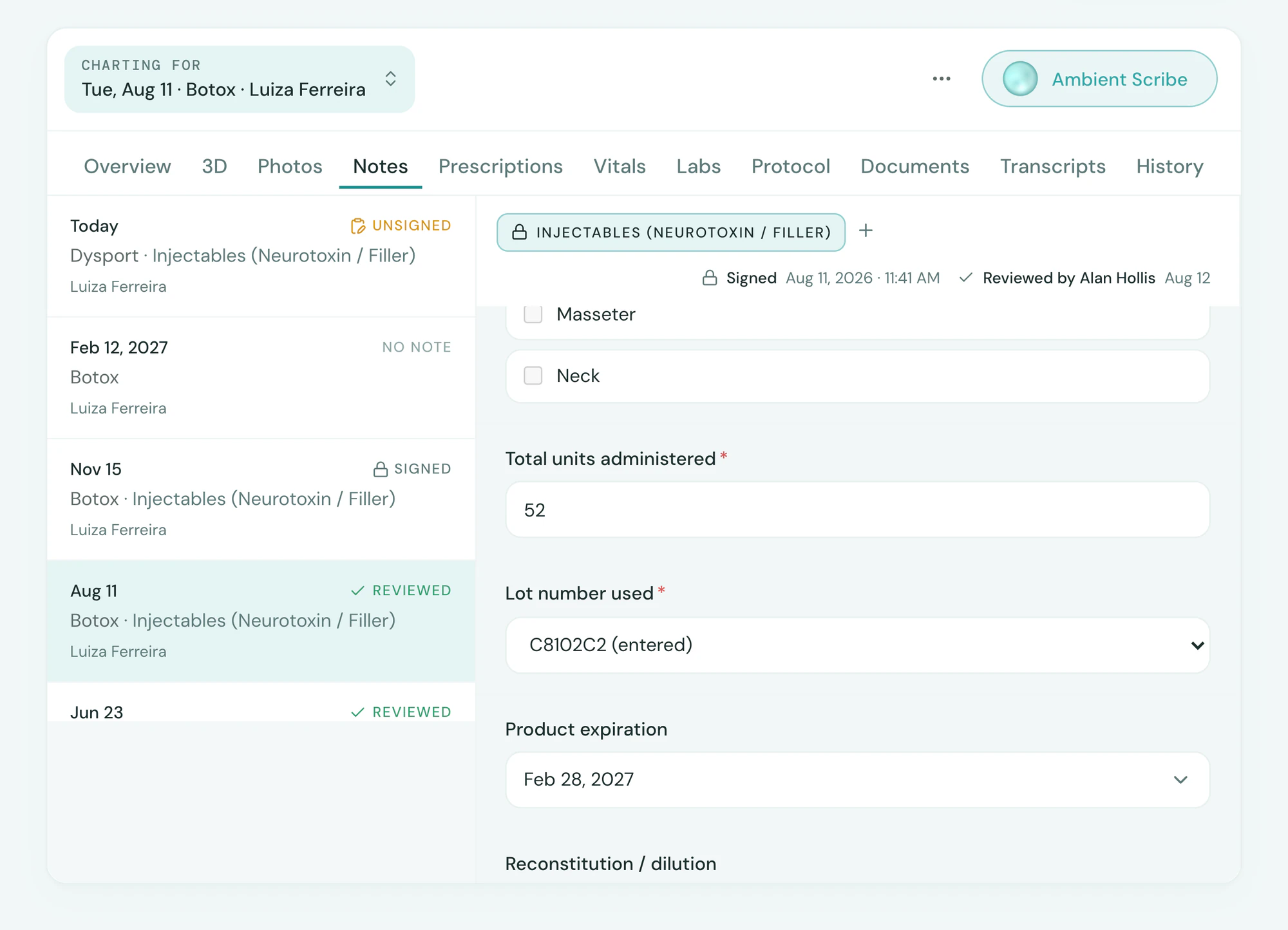
Signing a Tepali note locks it as the record of the visit, stamped with the provider’s name, date and time.
- Required fields checked before signing
- Unsigned notes first, on every chart
- Non-physician notes queue for MD review
Templates
Say what the note needs, it’s built
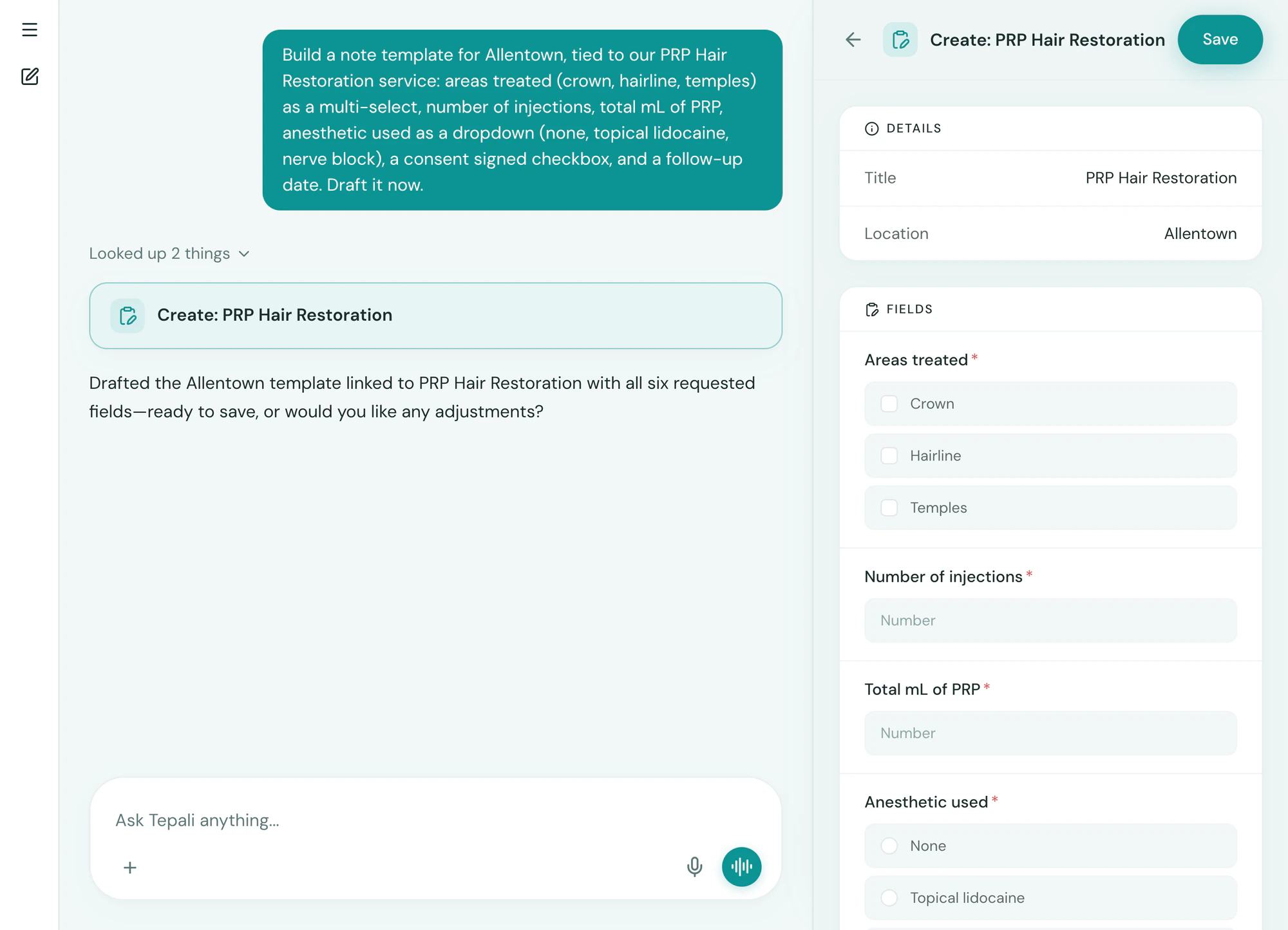
Describe a clinical note template to Tepali and the AI drafts the fields and layout for you to adjust.
- Text, number, date, checkbox and dropdown fields
- Tied to a service, so it opens on its own
- Good faith exam templates with a validity period
Frequently asked questions
Book a demoWhat is a clinical note template for a medspa?
Tepali’s Notes are structured clinical notes for medspas, plastic surgery and wellness clinics, each written in a template your practice designs: a neurotoxin note, a filler note, a laser note, a SOAP consult, a good faith exam. The template sets the fields, the Ambient Scribe drafts them during the visit, and the provider signs.
Does Tepali support SOAP notes?
Yes. A SOAP note is a template with Subjective, Objective, Assessment and Plan fields, and you can add your own, such as units per area or lot number. Keep a SOAP consult template next to your treatment-specific ones.
How do I create a note template?
Open Notes, click Build with AI and describe the note: the fields, what is required, how it is laid out. Review the preview and save. Edit it later the same way.
Can a template be tied to a service?
Yes. Tie a template to a service and Tepali drafts that note whenever the visit is opened. A service can also require a good faith exam before treatment.
Does the scribe work with any template?
Yes. The Ambient Scribe fills whatever template the visit uses, field by field, from what was said in the room. Every value it writes is flagged for the provider to confirm before signing.
Can I edit a note after signing?
Signing locks the note. To correct one, the provider reopens it as a draft, fixes it and signs again. Reopening clears the signature and any physician review, so the corrected note is signed and reviewed again.
Can I keep using paper or Word templates?
You can upload them to a chart, but a paper or Word note cannot be checked for blank required fields, filled by the scribe or queued for sign-off. A Tepali template is built by describing it, and from then on the right one opens with every visit.
Are note templates included?
Yes. Notes and templates are part of every Tepali plan. The Ambient Scribe that fills them is included with a monthly allowance set in your quote.
Chart a visit before the demo ends