Reports
Ask the question,
get the report
Describe the report you want and it is built, run and saved to your list. Every report opens with a written read of what the numbers say, above the table.

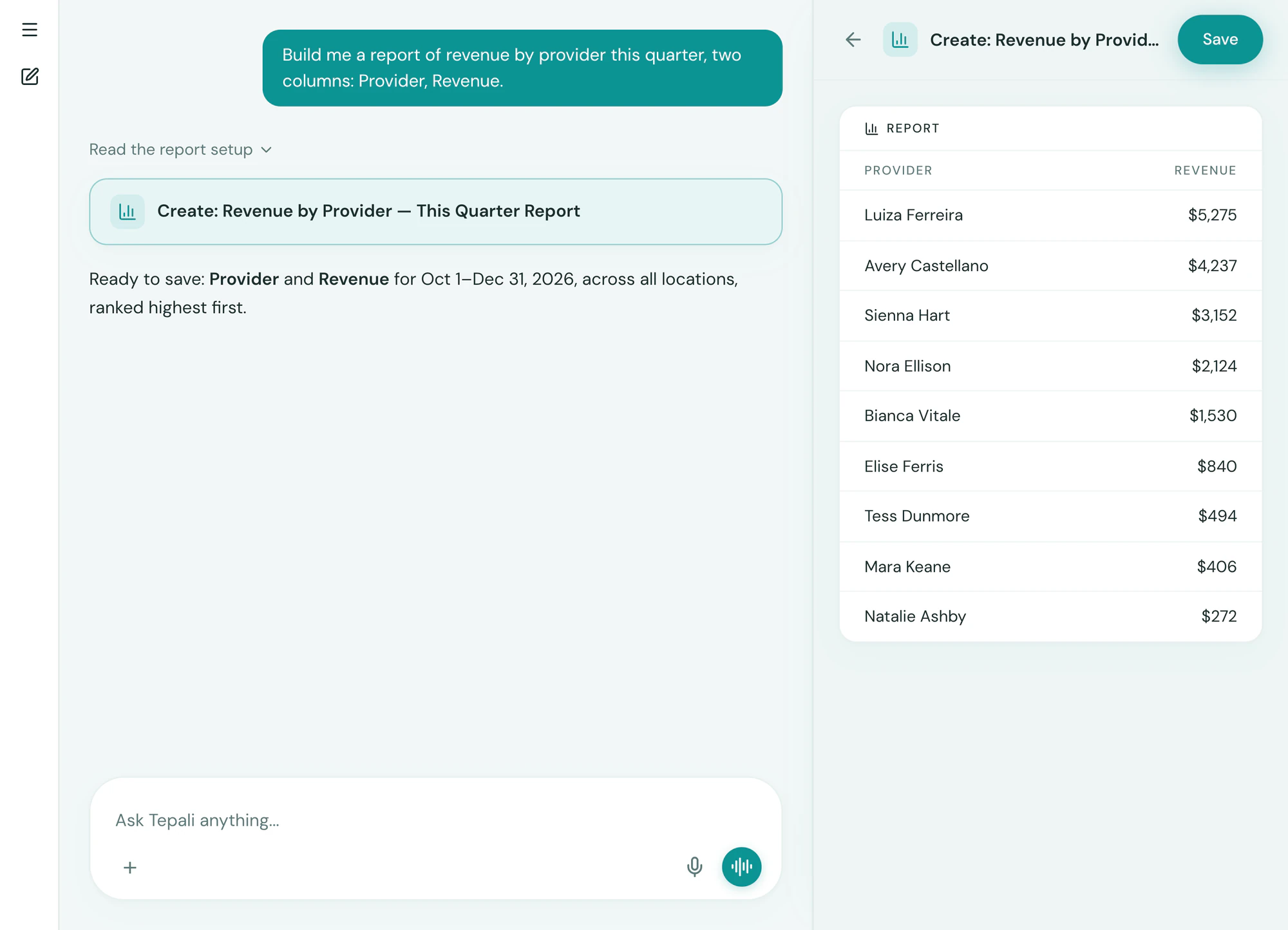
Ask
In plain English, not a report builder
Ask Tepali for revenue by provider this quarter or clients who haven’t rebooked, and the AI Operator builds the report.
- Built, run and saved to your Reports list
- Pinned to the top for next month
- Change what it measures by asking
Read
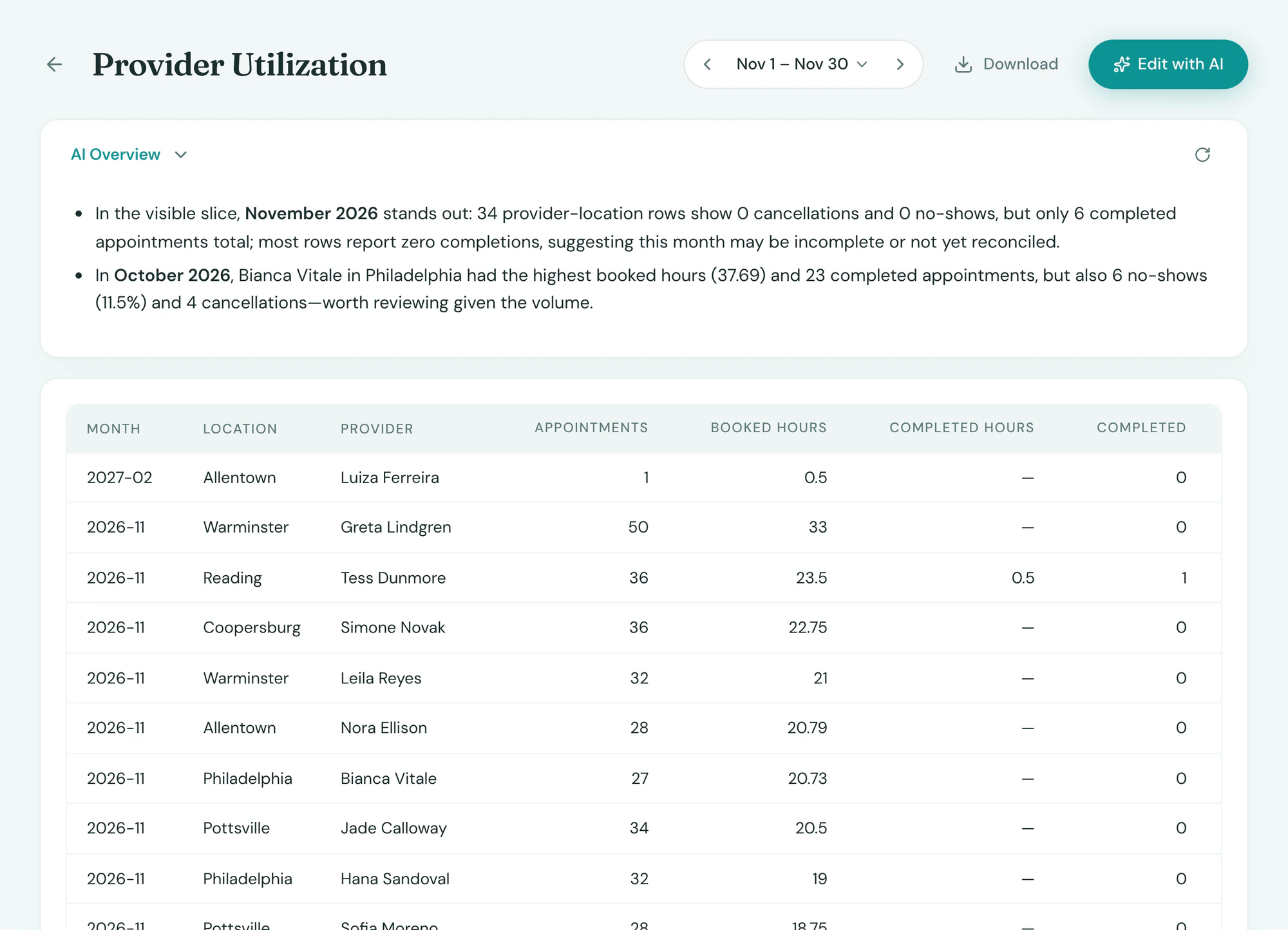
The table, the chart, and the why
Every Tepali report opens with an AI overview that says what moved and why.
- A paragraph first, then the table and chart
- Pick the dates, compare periods
- Every report downloads as a CSV
Built in
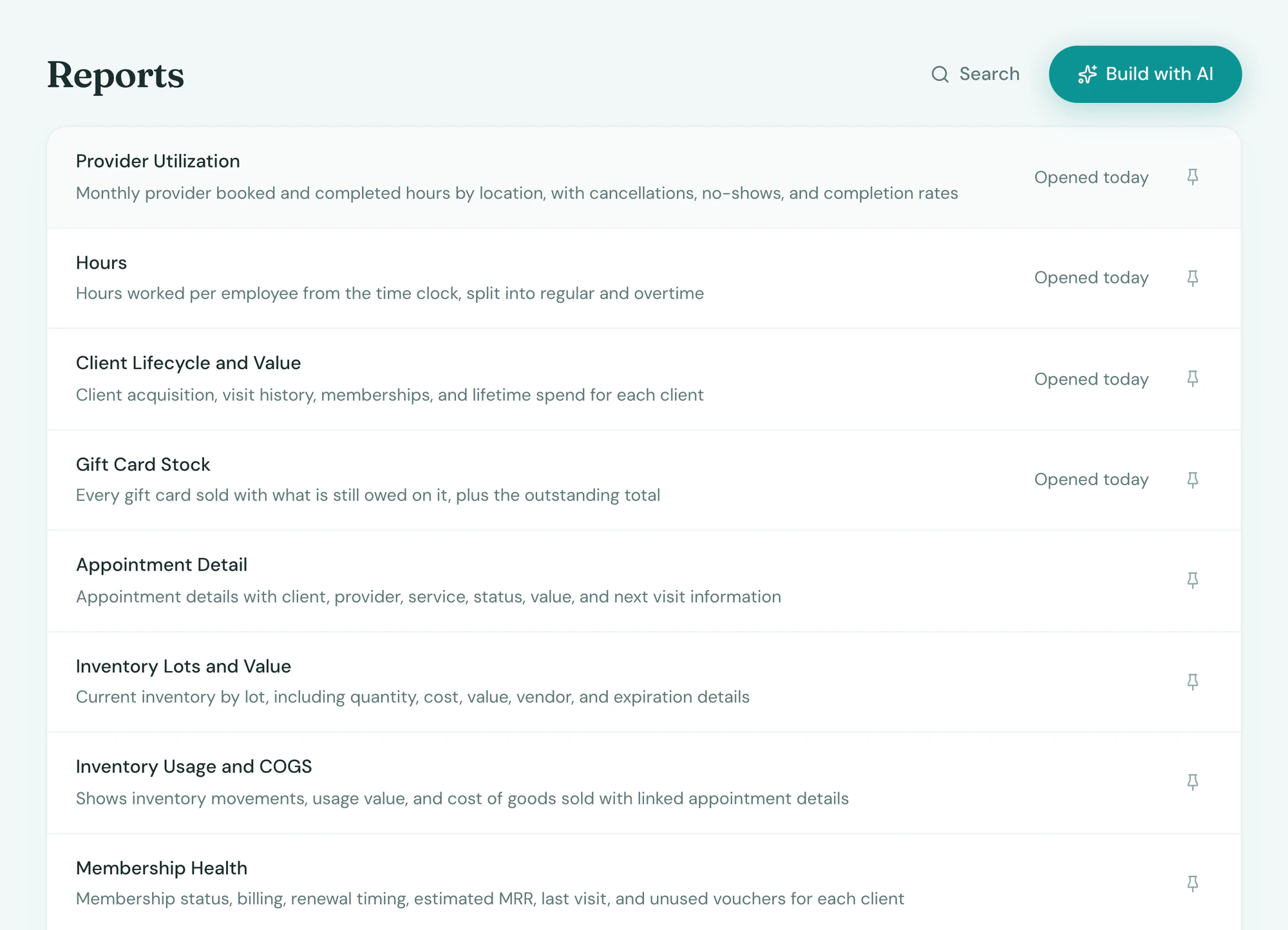
The ones every practice needs
Tepali’s Reports come with MRR and the MRR bridge, membership growth, gift card stock, inventory usage, provider utilization and sales by period.
- Ready on day one, in your Reports list
- Sales, tax and tips for the books
- Hours, tips and commission for payday
Frequently asked questions
Book a demoHow do reports work in Tepali?
Tepali’s Reports is the saved list of every report your medspa or wellness clinic runs, built into the EMR. Each report has a results table, a written AI overview of what the numbers mean, and a CSV download. You build a new one by describing it to the AI Operator, not by dragging fields in a report builder.
Which reports are built in?
MRR and the MRR bridge, membership growth, gift card stock, inventory usage, provider utilization, sales by period, and three payroll reports for hours, tips and commission. More are added as you ask for them.
What is the difference between Reports and the AI Operator?
The AI Operator answers a question in the moment and can act on the answer. Reports are the answers you want to keep: saved to a list, rerun for any period, pinned to the top and downloaded as a CSV. Ask the AI Operator to build a report and it lands in Reports.
Can I export reports to Excel or QuickBooks?
Yes. Every report downloads as a CSV that opens in Excel or Google Sheets. Daily sales totals also post to QuickBooks Online automatically, one journal entry per location per day.
Can I just build my reports in a spreadsheet?
You can export and build your own, but someone has to redo it every month. A Tepali report is saved once and reruns on live data from your charts, sales and schedule, with the written read on top.
Who on my team can see reports?
Only roles with the reports permission can build, edit and export them. Payroll reports need a separate pay permission, so a manager can see sales without seeing commissions.
Can a report change my data?
No. Reports are read-only by design. Changes go through the AI Operator, which stages each one for your approval.
Are reports included?
Yes. Reports are part of every plan.
Ask for the report you never get