Tasks
Opening, closing,
and everything between
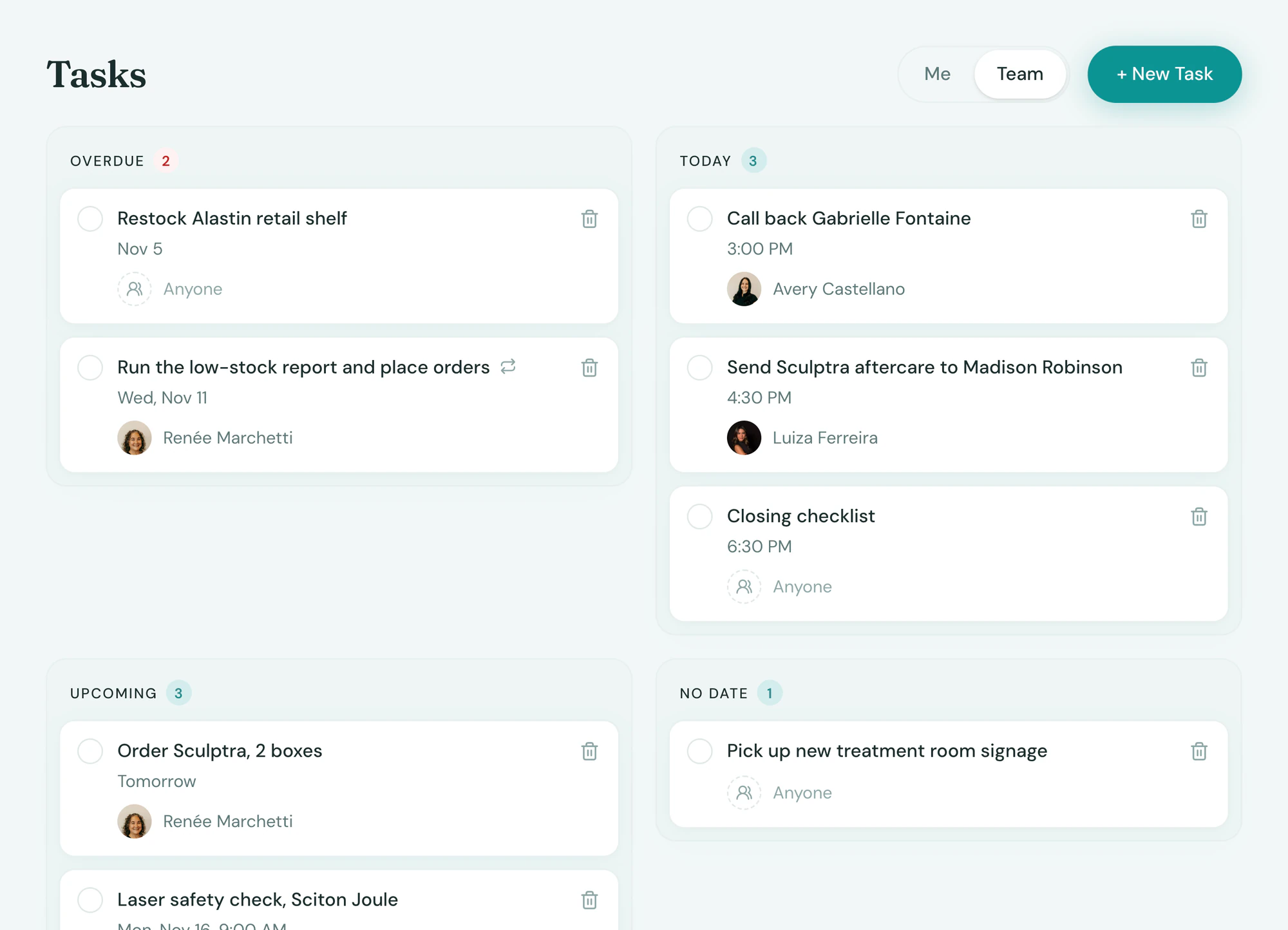
The opening checklist, the fridge count and the laser wipe-down get done, with a name on each one. You see what was skipped without walking the floor.

Oversight
See what got done, without asking
Tepali’s Tasks give a medspa owner one board of every chore at each location: overdue, today, upcoming and done.
- Who completed it, and when
- Skipped repeating tasks stay in Overdue
- An overdue digest every morning
Repeating
Set once, every Monday
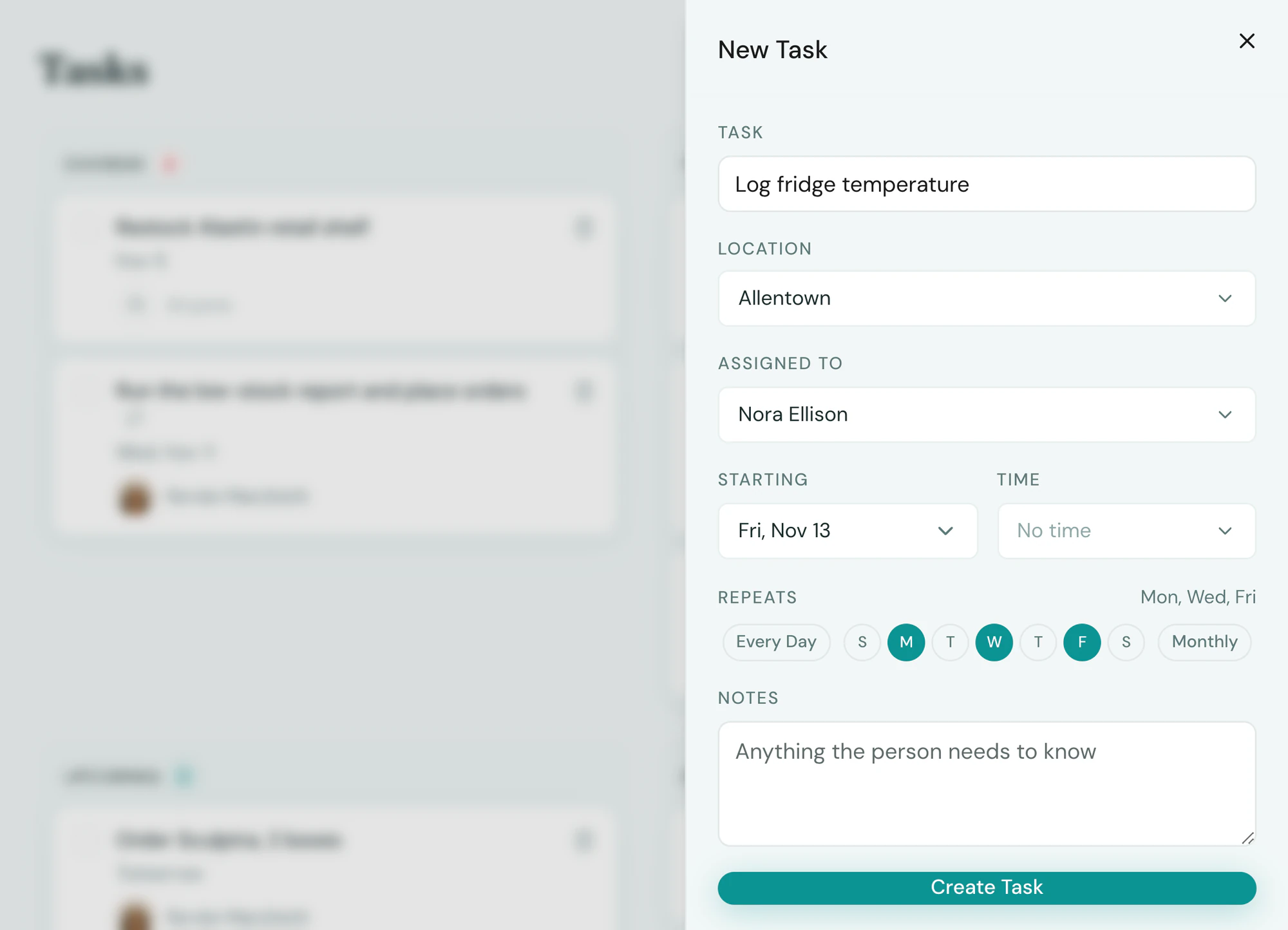
Repeating Tasks in Tepali show up on the right days, so the opening checklist and weekly fridge count stop depending on memory.
- Every day, weekdays, chosen days or monthly
- For one person or anyone at the location
- Today’s list appears each morning
Assign
Hand it off, it lands on their phone
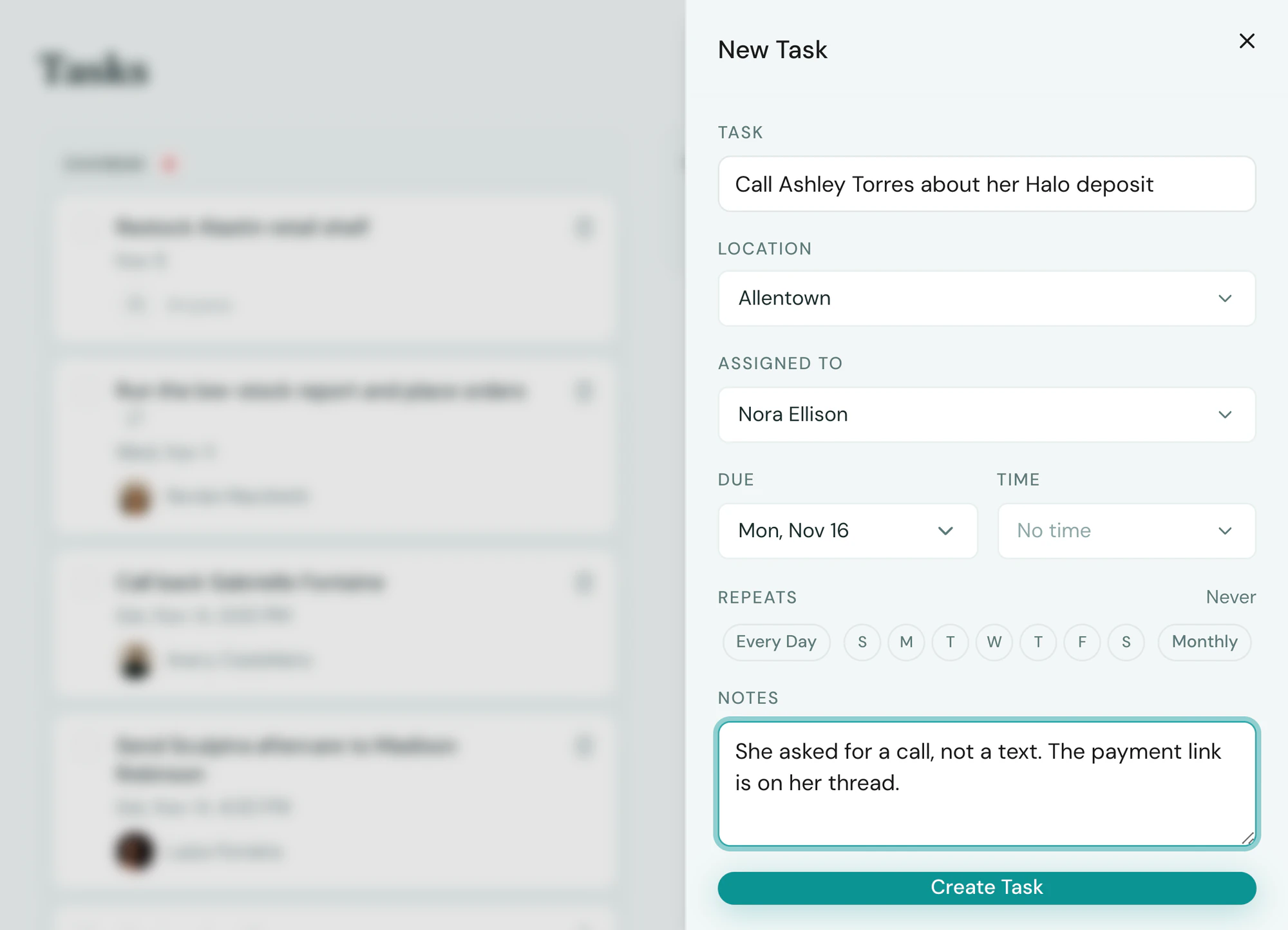
Give a one-off task in Tepali to a person, or to anyone at a location, with a due date and a time.
- Assignee gets a push, checks it off in a tap
- Given to the whole desk, the first check completes it
- Or tell the AI Operator and it creates the task
Frequently asked questions
Book a demoWhat are tasks for in a medspa?
Tepali’s Tasks is the team to-do list built into your medspa EMR, for work that happens outside the software: run the opening checklist, wipe down the laser, count the Botox fridge, pick up the mail. Every task has a name on it and a done state. Bookings, callbacks and low stock already arrive as notifications.
Can I set up opening and closing checklists?
Yes. Make each step a repeating task on the days it happens, with a time if it matters. Each morning the day’s list appears for the person or the location it belongs to.
How do I know a checklist was actually done?
Done tasks show who completed them and when. A repeating task that was skipped stays in Overdue, so you can see that Tuesday’s opening list was missed without asking anyone.
Can I assign a task to the whole front desk?
Yes. Assign it to anyone at a location and it appears on every teammate’s list there. Whoever checks it first completes it for everyone.
Do staff get reminders?
Yes. The assignee gets a push on the staff app when a task is given to them, and everyone gets one morning push with what is on their list that day. Each person can turn these off in their notification settings.
Can I just use a paper checklist or a group text?
Paper can’t tell you who did it, and a group text can’t tell you what was skipped. A task in Tepali has an owner, a due time and a record of who finished it, and it repeats without anyone rewriting the list.
Can the AI create tasks for me?
Yes. Tell the AI Operator “create a task for Amy to pick up the mail every weekday morning” and it stages the task for your approval. You can also ask it what is overdue or whether the opening checklist got done.
Are tasks included?
Yes. Tasks are part of every plan.
Hand off the opening checklist for good