Labs
Lab orders and results,
in the chart
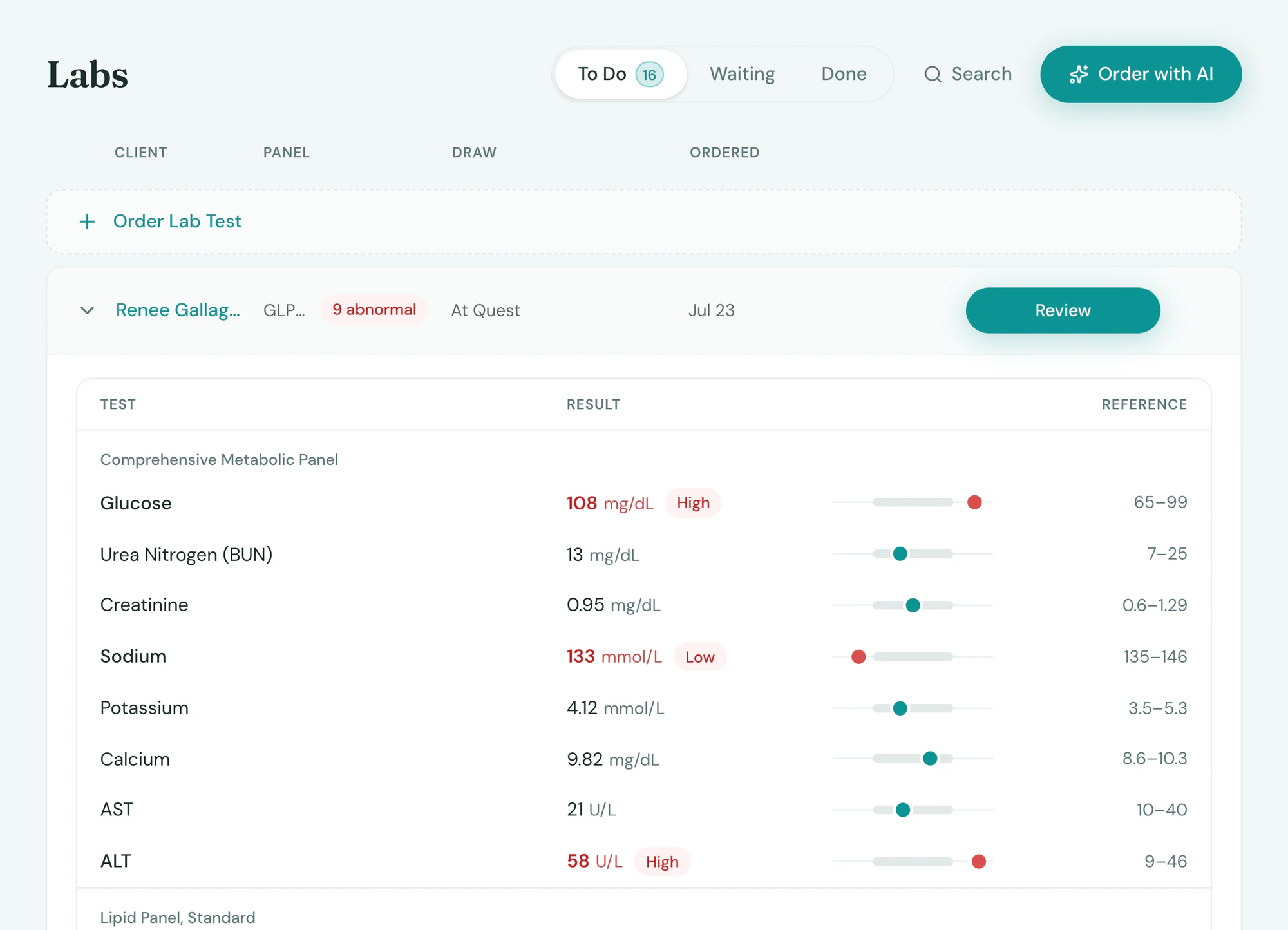
Order labs from the chart and the results come back onto it, with the provider notified. Draw in clinic or send the client to Quest or Labcorp, with no fax to file and no second login.

Results
Back on the chart, nothing missed
Tepali Labs notifies the provider as each result comes in, so nobody at your wellness clinic or medspa retypes a faxed report.
- Out-of-range values flagged
- Each marker trended against the last draw
- Reports from any lab read onto the chart by AI Operator
Order
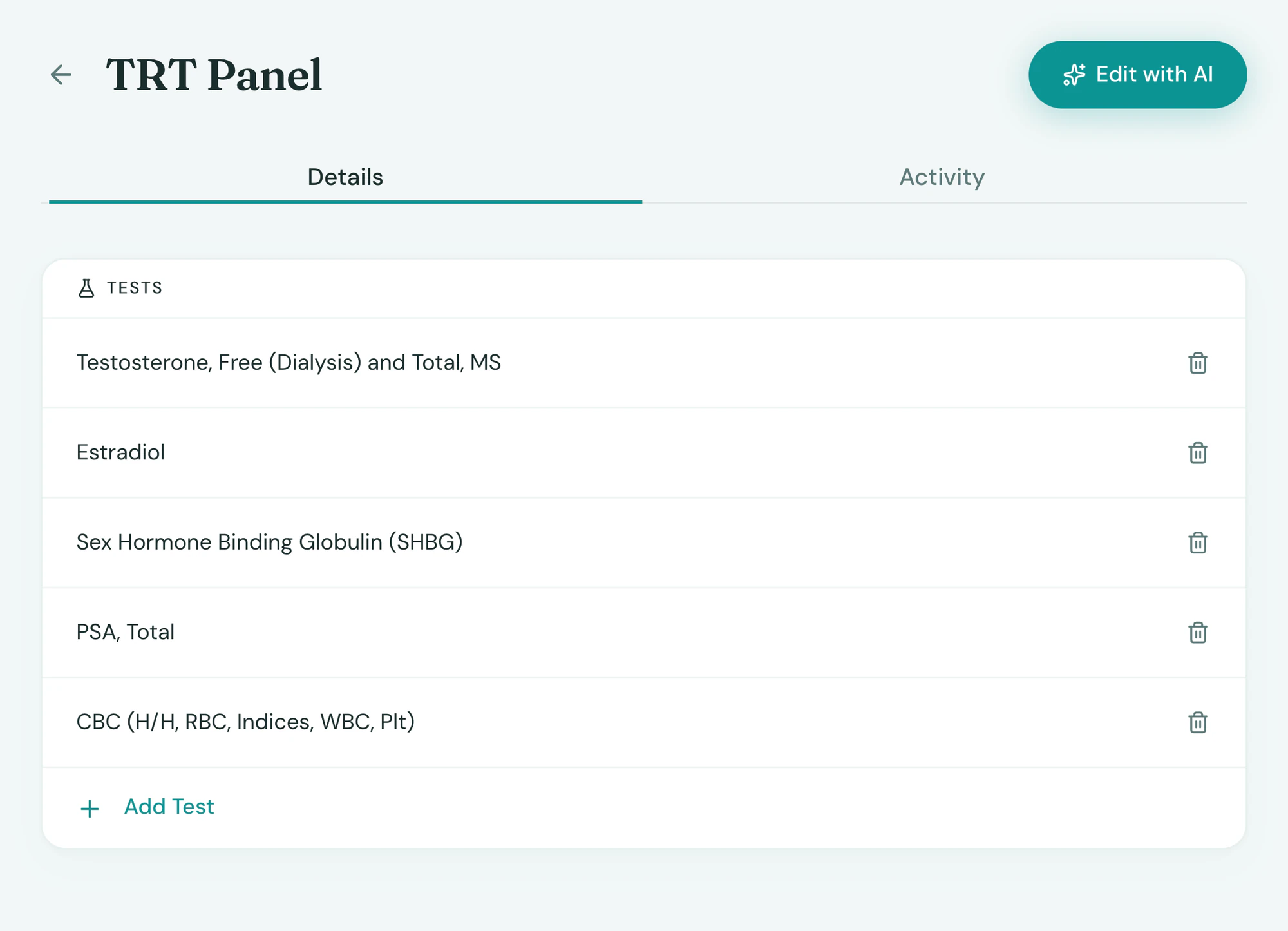
Your panels, one click to order
Build the panels your programs use once in Tepali Labs: a TRT panel, a GLP-1 baseline, a longevity workup.
- Ordered by the provider, or drafted for them
- Drawn in clinic, or at Quest or Labcorp
- Protocols draft the next order when it is due
The client
Clients know where to go, and when it’s in
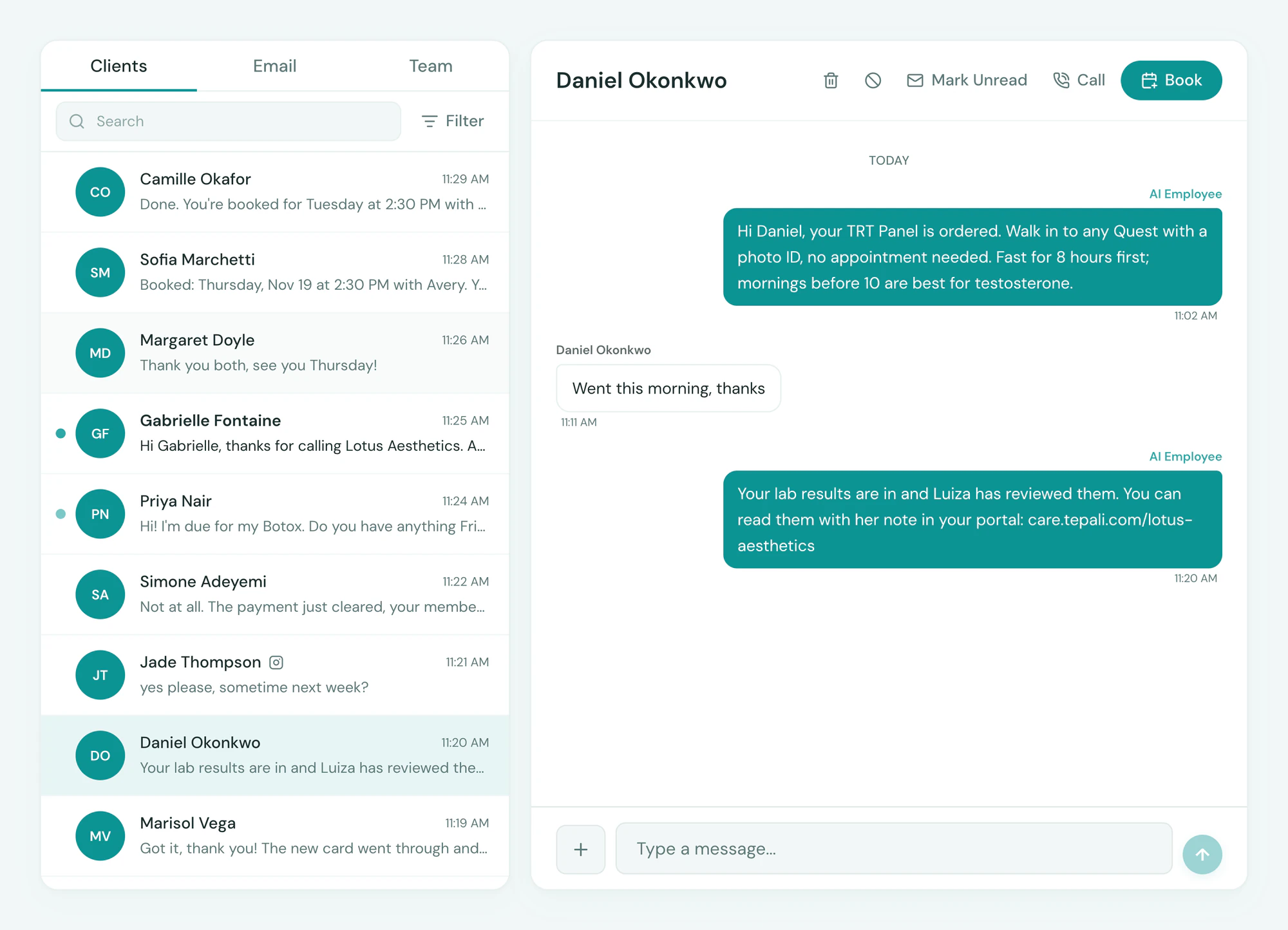
Tepali Labs texts the client at each step, and results reach their Patient Portal with the provider’s note.
- Draw instructions by text: walk in with a photo ID
- A results text that never shows a value
- Shared to the portal only after your review
Frequently asked questions
Book a demoCan I order labs from my medspa or wellness EMR?
Tepali’s Labs is lab ordering and results built into the EMR for wellness clinics and medspas. A provider orders a panel from the client’s chart, the client is drawn in clinic or at Quest or Labcorp, and the results post back to the same chart, flagged and trended.
Which labs can I order, and where is the draw?
Panels you define from the available tests, ordered through our lab partner and drawn in your clinic or as a walk-in at Quest Diagnostics or Labcorp. For a walk-in, Tepali texts the client where to go, and the order’s status is tracked from the draw to the result.
Who can place a lab order?
A provider with an NPI orders directly. Other staff draft the order and send it to the provider to place.
Where do lab results go?
On the client’s chart, under the order, with the provider notified to review. Out-of-range values are flagged and each marker is shown against the previous draw. A report from a lab you order with directly can be dropped into AI Operator as a PDF or a photo, and every value is filed the same way.
Can clients see their own lab results?
Yes, once the provider shares them. Reviewed results appear in the client’s Patient Portal with the provider’s note, and a text sends the link. The text that says results are in never mentions a value.
Does it fit a hormone or weight loss program?
Yes. Protocols can schedule labs in weeks from the start, so a TRT or GLP-1 program drafts its own orders.
How is this different from ordering in the lab’s own portal?
A lab’s portal is a second login, and the result comes back as a PDF or a fax that someone has to file. In Tepali the order starts from the chart, the result lands on the chart as values you can trend, and the provider and the client are both told.
Are labs included?
Lab ordering is available on Tepali plans with clinical features, with per-order lab fees set in your quote.
Order a panel without leaving the chart