Payroll
Hours, tips, commission,
ready for payday
Every hourly shift, card tip and commission is added up for you by pay period. Download one CSV and hand it to Gusto, ADP or whoever runs your payroll.

Earnings
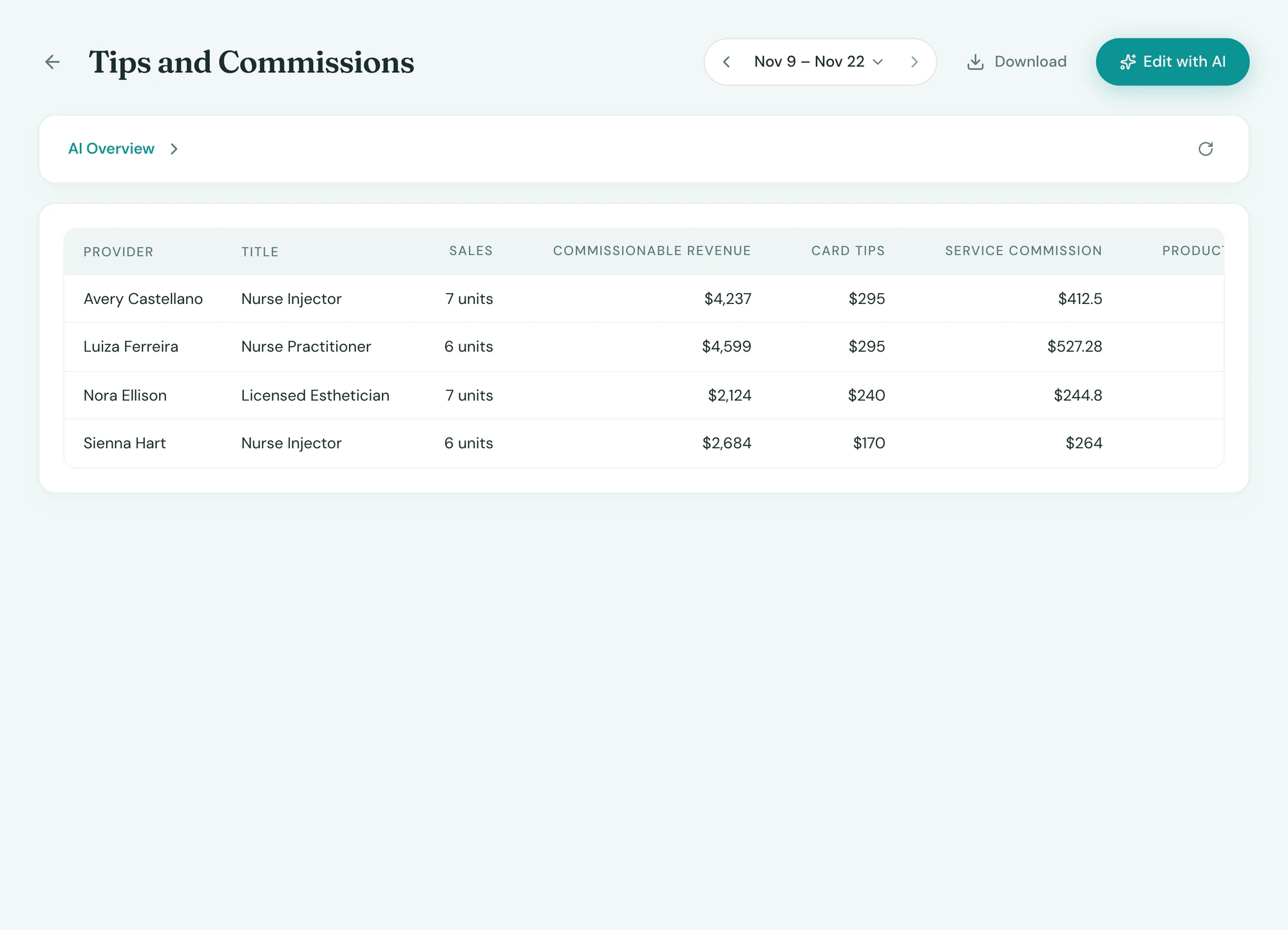
Commission and tips, without the spreadsheet
Tepali tracks commission and card tips for every medspa provider as each sale closes, totaled for the pay period.
- Service and product rates per person
- A different rate or flat amount per service
- Card tips split by line, to who earned them
Hours
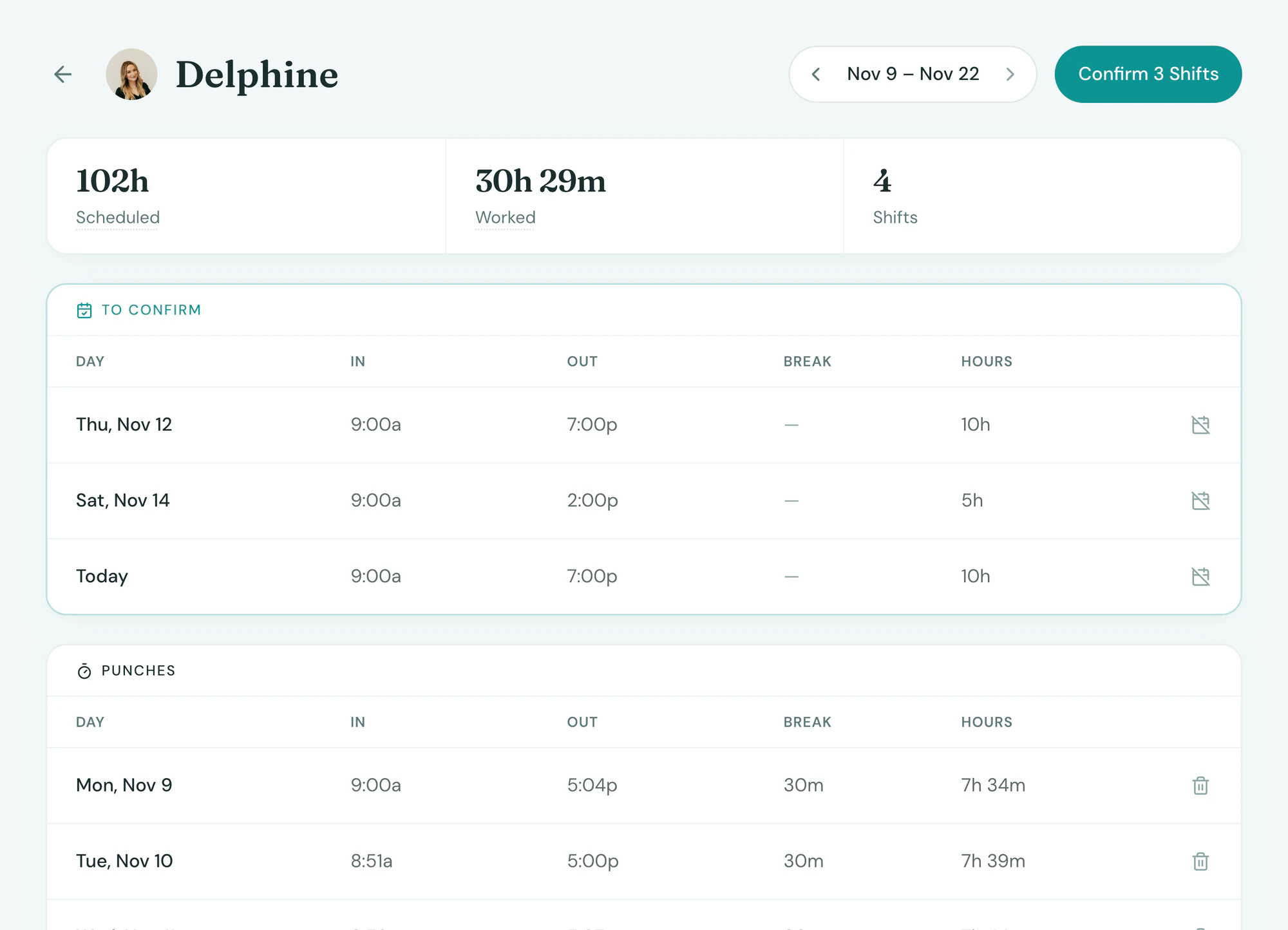
Hours you can trust, even on a missed punch
Tepali’s timesheet shows scheduled and worked hours for every hourly employee, each pay period.
- Clock in on the web or the staff app
- Fix or add a punch in one click
- Missed punches filled from the schedule
Payday
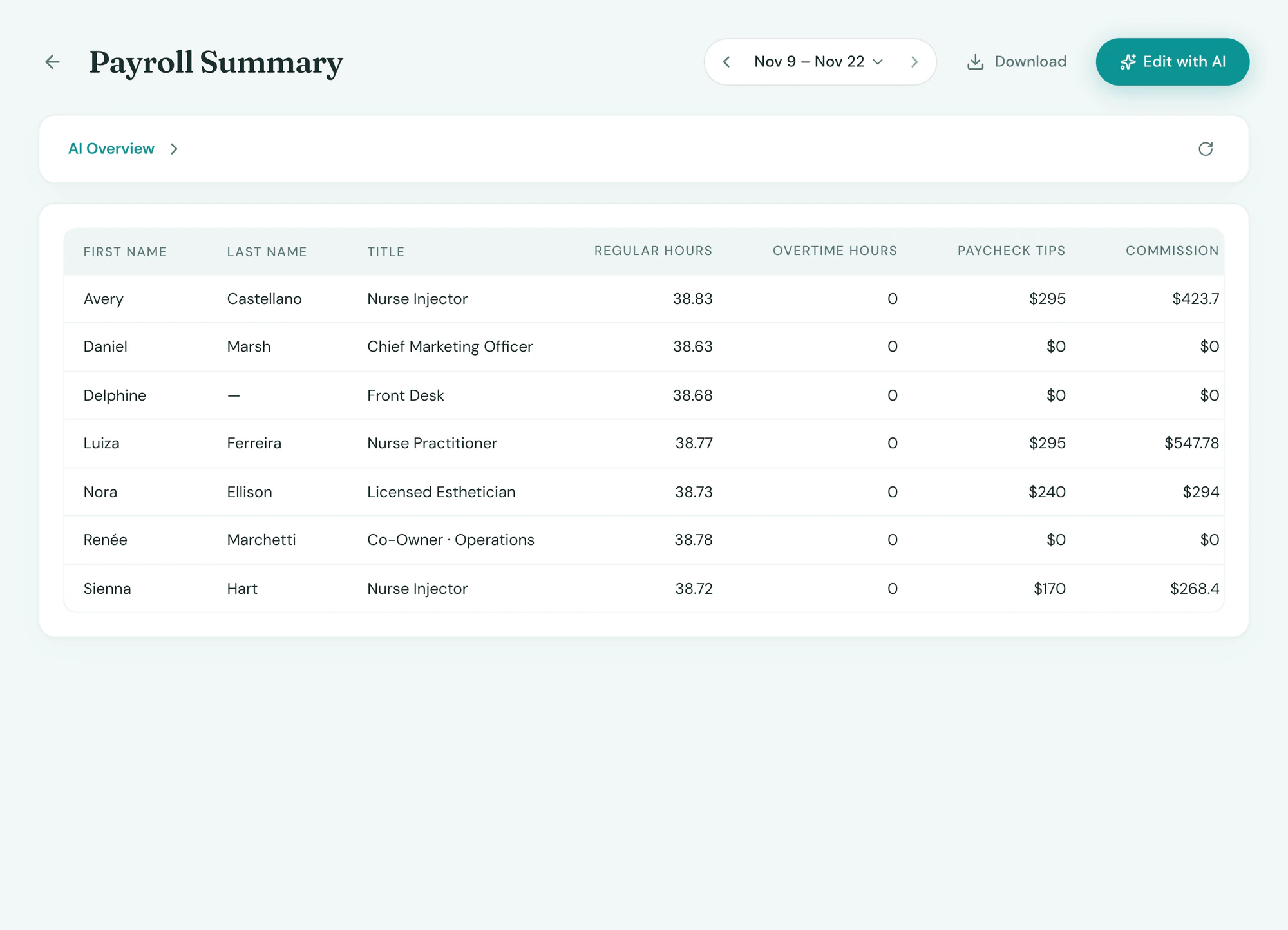
One CSV for Gusto or ADP
Tepali’s payroll reports total hours, tips and commission per person, and your payroll provider does the paying.
- Weekly, every two weeks or twice a month
- Regular and overtime hours per person
- Columns Gusto, ADP and Homebase import
Frequently asked questions
Book a demoWhat is a medspa time clock with tips and commission tracking?
Tepali’s Payroll is a time clock, timesheets and a tips and commission tracker built into your medspa EMR. It totals hours for hourly staff, and card tips and commission for providers, each pay period. It does not pay staff or file payroll taxes.
Does Tepali run payroll or pay my staff?
No. Tepali produces the numbers: regular hours, overtime, tips and commission per person, as a CSV in the columns Gusto, ADP or Homebase import. Your payroll provider holds the wage rates and pays everyone.
How do staff clock in?
Hourly staff clock in from the account menu on the web or from the top of the Tepali staff app, and punches sync live. They get a push if a shift starts and they have not clocked in, and another if it ends and they are still on the clock.
What if someone forgets to clock in?
Nobody’s pay depends on remembering. A scheduled shift with no punch shows on the timesheet as from the schedule, and a manager confirms it or corrects the times. Managers can also fix or add any punch.
How is commission calculated?
Each sale line earns for the provider on that line when the sale succeeds, on the net price after discounts and before tax. You set a service percent and a product percent per person, with a different percent or a flat amount for any single service. Refunds subtract automatically, and changing a rate never rewrites a past period.
How are tips split between providers?
A card tip is split across the tippable lines on the ticket by value and credited to the provider on each line. You can switch tips off for any service or product. Cash tips are not tracked.
Can this replace my commission spreadsheet?
Yes. The spreadsheet exists because sales live in one system and commission rates in another. In Tepali the sale, the provider and the rate are in one place, so commission is written at checkout and the pay period total is already there.
Are hours and commissions included?
Yes. The time clock, commissions and payroll exports are part of every plan.
See payday’s numbers, already added up